Activity. Make a content
Desired outcome

Use the HTML code from the last activity.
<!doctype html>
<html lang="en">

<head>
    <meta charset="utf-8">
    <meta name="viewport" content="width=device-width, initial-scale=1, shrink-to-fit=no">

    <link href="https://cdn.jsdelivr.net/npm/bootstrap@5.0.2/dist/css/bootstrap.min.css" rel="stylesheet"
        integrity="sha384-EVSTQN3/azprG1Anm3QDgpJLIm9Nao0Yz1ztcQTwFspd3yD65VohhpuuCOmLASjC" crossorigin="anonymous">
    <script src="https://ajax.googleapis.com/ajax/libs/jquery/3.5.1/jquery.min.js"></script>
    <script src="https://cdn.jsdelivr.net/npm/bootstrap@5.0.2/dist/js/bootstrap.bundle.min.js"
        integrity="sha384-MrcW6ZMFYlzcLA8Nl+NtUVF0sA7MsXsP1UyJoMp4YLEuNSfAP+JcXn/tWtIaxVXM"
        crossorigin="anonymous"></script>

    <title>스파르타코딩클럽 | 부트스트랩 연습하기</title>
    <link href="https://fonts.googleapis.com/css2?family=Gowun+Dodum&display=swap" rel="stylesheet">

    <style>
        * {
            font-family: 'Gowun Dodum', sans-serif;
        }
        .mytitle {
            background-color: green;

            width: 100%;
            height: 250px;

            background-image: linear-gradient(0deg, rgba(0, 0, 0, 0.5), rgba(0, 0, 0, 0.5)), url("https://movie-phinf.pstatic.net/20210715_95/1626338192428gTnJl_JPEG/movie_image.jpg");
            background-position: center;
            background-size: cover;

            color: white;

            display: flex;
            flex-direction: column;
            justify-content: center;
            align-items: center;
        }
        .mytitle > button{
            width: 200px;
            height: 50px;

            background-color: transparent;

            color: white;

            border-radius: 50px;

            border: 1px solid white;

            margin-top: 10px;
        }
        .mytitle > button:hover {
            border: 2px solid white;

        }
    </style>
</head>

<body>
    <div class="mytitle">
        <h1>내 생애 최고의 영화들</h1>
        <button>영화 기록하기</button>
    </div>
</body>

</html>
Open Bootstrap and select Cards.
https://getbootstrap.com/docs/5.0/components/buttons/Choose the below style and copy the code.
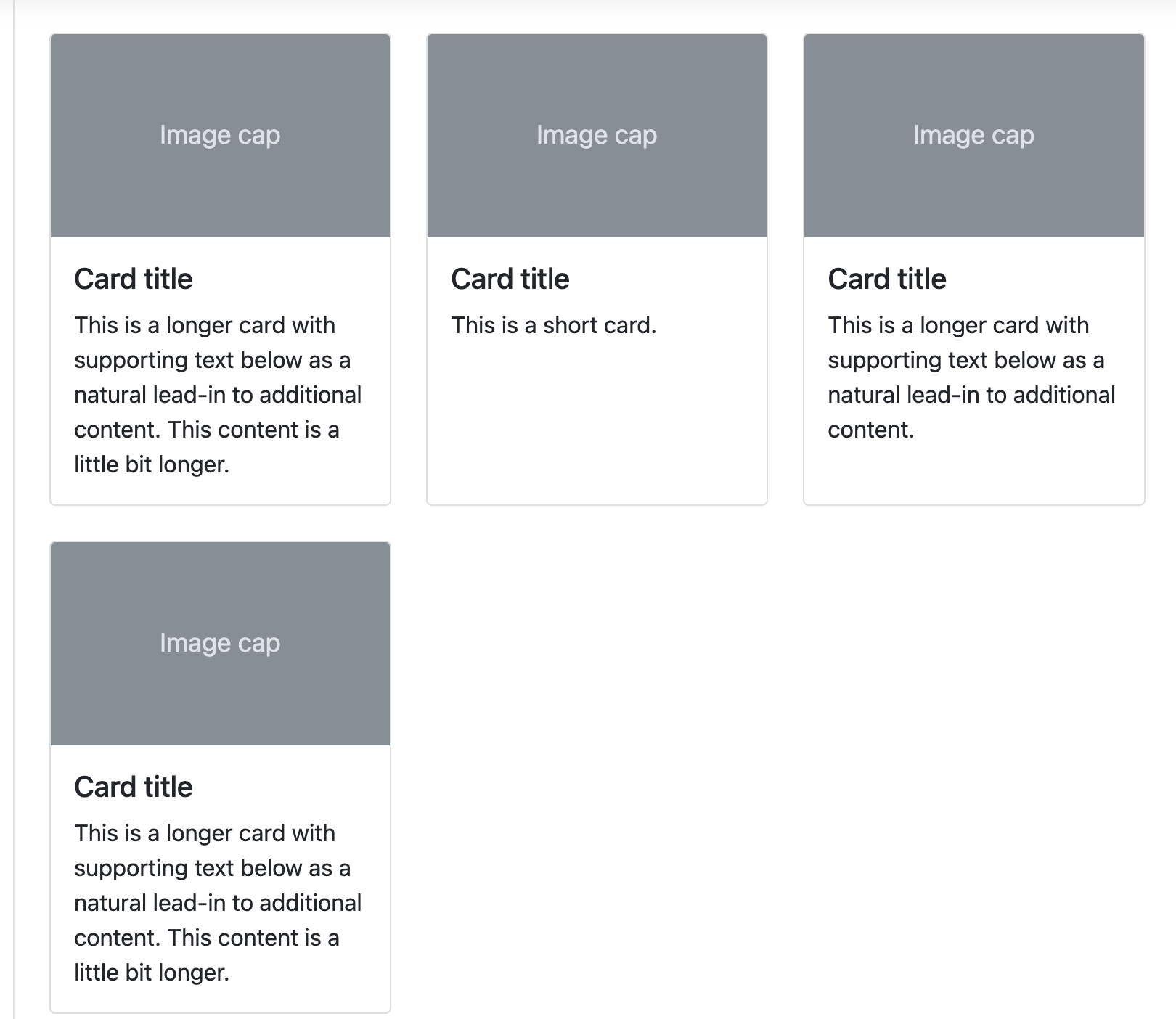
and paste it under
<div>under<body>
<!doctype html>
<html lang="en">

<head>
    <meta charset="utf-8">
    <meta name="viewport" content="width=device-width, initial-scale=1, shrink-to-fit=no">

    <link href="https://cdn.jsdelivr.net/npm/bootstrap@5.0.2/dist/css/bootstrap.min.css" rel="stylesheet"
        integrity="sha384-EVSTQN3/azprG1Anm3QDgpJLIm9Nao0Yz1ztcQTwFspd3yD65VohhpuuCOmLASjC" crossorigin="anonymous">
    <script src="https://ajax.googleapis.com/ajax/libs/jquery/3.5.1/jquery.min.js"></script>
    <script src="https://cdn.jsdelivr.net/npm/bootstrap@5.0.2/dist/js/bootstrap.bundle.min.js"
        integrity="sha384-MrcW6ZMFYlzcLA8Nl+NtUVF0sA7MsXsP1UyJoMp4YLEuNSfAP+JcXn/tWtIaxVXM"
        crossorigin="anonymous"></script>

    <title>스파르타코딩클럽 | 부트스트랩 연습하기</title>
    <link href="https://fonts.googleapis.com/css2?family=Gowun+Dodum&display=swap" rel="stylesheet">

    <style>
        * {
            font-family: 'Gowun Dodum', sans-serif;
        }
        .mytitle {
            background-color: green;

            width: 100%;
            height: 250px;

            background-image: linear-gradient(0deg, rgba(0, 0, 0, 0.5), rgba(0, 0, 0, 0.5)), url("https://movie-phinf.pstatic.net/20210715_95/1626338192428gTnJl_JPEG/movie_image.jpg");
            background-position: center;
            background-size: cover;

            color: white;

            display: flex;
            flex-direction: column;
            justify-content: center;
            align-items: center;
        }
        .mytitle > button{
            width: 200px;
            height: 50px;

            background-color: transparent;

            color: white;

            border-radius: 50px;

            border: 1px solid white;

            margin-top: 10px;
        }
        .mytitle > button:hover {
            border: 2px solid white;

        }
    </style>
</head>

<body>
    <div class="mytitle">
        <h1>내 생애 최고의 영화들</h1>
        <button>영화 기록하기</button>
    </div>
    <div class="row row-cols-1 row-cols-md-3 g-4">
      <div class="col">
        <div class="card h-100">
          <img src="..." class="card-img-top" alt="...">
          <div class="card-body">
            <h5 class="card-title">Card title</h5>
            <p class="card-text">This is a longer card with supporting text below as a natural lead-in to additional content. This content is a little bit longer.</p>
          </div>
        </div>
      </div>
      <div class="col">
        <div class="card h-100">
          <img src="..." class="card-img-top" alt="...">
          <div class="card-body">
            <h5 class="card-title">Card title</h5>
            <p class="card-text">This is a short card.</p>
          </div>
        </div>
      </div>
      <div class="col">
        <div class="card h-100">
          <img src="..." class="card-img-top" alt="...">
          <div class="card-body">
            <h5 class="card-title">Card title</h5>
            <p class="card-text">This is a longer card with supporting text below as a natural lead-in to additional content.</p>
          </div>
        </div>
      </div>
      <div class="col">
        <div class="card h-100">
          <img src="..." class="card-img-top" alt="...">
          <div class="card-body">
            <h5 class="card-title">Card title</h5>
            <p class="card-text">This is a longer card with supporting text below as a natural lead-in to additional content. This content is a little bit longer.</p>
          </div>
        </div>
      </div>
    </div>
</body>

</html>
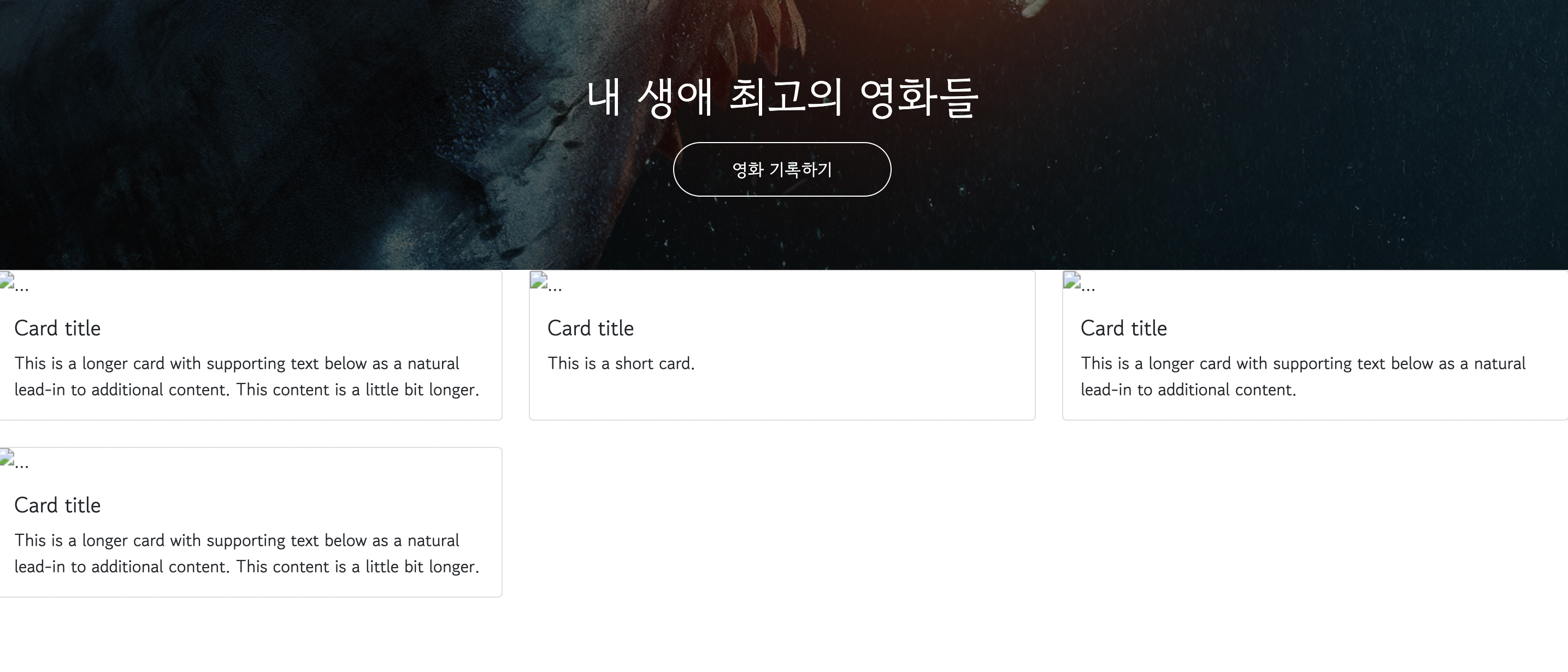
- Change
.row-cols-3to.row-cols-4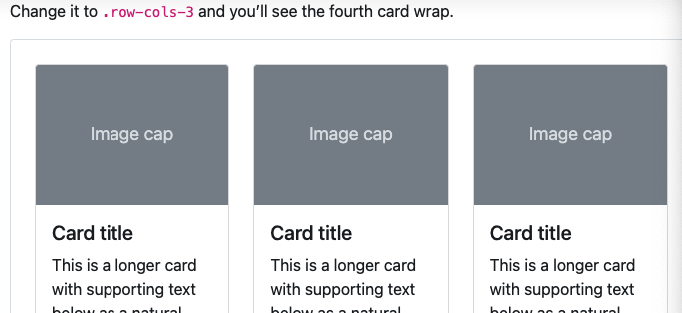
<!doctype html>
<html lang="en">

<head>
    <meta charset="utf-8">
    <meta name="viewport" content="width=device-width, initial-scale=1, shrink-to-fit=no">

    <link href="https://cdn.jsdelivr.net/npm/bootstrap@5.0.2/dist/css/bootstrap.min.css" rel="stylesheet"
        integrity="sha384-EVSTQN3/azprG1Anm3QDgpJLIm9Nao0Yz1ztcQTwFspd3yD65VohhpuuCOmLASjC" crossorigin="anonymous">
    <script src="https://ajax.googleapis.com/ajax/libs/jquery/3.5.1/jquery.min.js"></script>
    <script src="https://cdn.jsdelivr.net/npm/bootstrap@5.0.2/dist/js/bootstrap.bundle.min.js"
        integrity="sha384-MrcW6ZMFYlzcLA8Nl+NtUVF0sA7MsXsP1UyJoMp4YLEuNSfAP+JcXn/tWtIaxVXM"
        crossorigin="anonymous"></script>

    <title>스파르타코딩클럽 | 부트스트랩 연습하기</title>
    <link href="https://fonts.googleapis.com/css2?family=Gowun+Dodum&display=swap" rel="stylesheet">

    <style>
        * {
            font-family: 'Gowun Dodum', sans-serif;
        }
        .mytitle {
            background-color: green;

            width: 100%;
            height: 250px;

            background-image: linear-gradient(0deg, rgba(0, 0, 0, 0.5), rgba(0, 0, 0, 0.5)), url("https://movie-phinf.pstatic.net/20210715_95/1626338192428gTnJl_JPEG/movie_image.jpg");
            background-position: center;
            background-size: cover;

            color: white;

            display: flex;
            flex-direction: column;
            justify-content: center;
            align-items: center;
        }
        .mytitle > button{
            width: 200px;
            height: 50px;

            background-color: transparent;

            color: white;

            border-radius: 50px;

            border: 1px solid white;

            margin-top: 10px;
        }
        .mytitle > button:hover {
            border: 2px solid white;

        }
    </style>
</head>

<body>
    <div class="mytitle">
        <h1>내 생애 최고의 영화들</h1>
        <button>영화 기록하기</button>
    </div>
    <div class="row row-cols-1 row-cols-md-4 g-4">
      <div class="col">
        <div class="card h-100">
          <img src="..." class="card-img-top" alt="...">
          <div class="card-body">
            <h5 class="card-title">Card title</h5>
            <p class="card-text">This is a longer card with supporting text below as a natural lead-in to additional content. This content is a little bit longer.</p>
          </div>
        </div>
      </div>
      <div class="col">
        <div class="card h-100">
          <img src="..." class="card-img-top" alt="...">
          <div class="card-body">
            <h5 class="card-title">Card title</h5>
            <p class="card-text">This is a short card.</p>
          </div>
        </div>
      </div>
      <div class="col">
        <div class="card h-100">
          <img src="..." class="card-img-top" alt="...">
          <div class="card-body">
            <h5 class="card-title">Card title</h5>
            <p class="card-text">This is a longer card with supporting text below as a natural lead-in to additional content.</p>
          </div>
        </div>
      </div>
      <div class="col">
        <div class="card h-100">
          <img src="..." class="card-img-top" alt="...">
          <div class="card-body">
            <h5 class="card-title">Card title</h5>
            <p class="card-text">This is a longer card with supporting text below as a natural lead-in to additional content. This content is a little bit longer.</p>
          </div>
        </div>
      </div>
    </div>
</body>

</html>
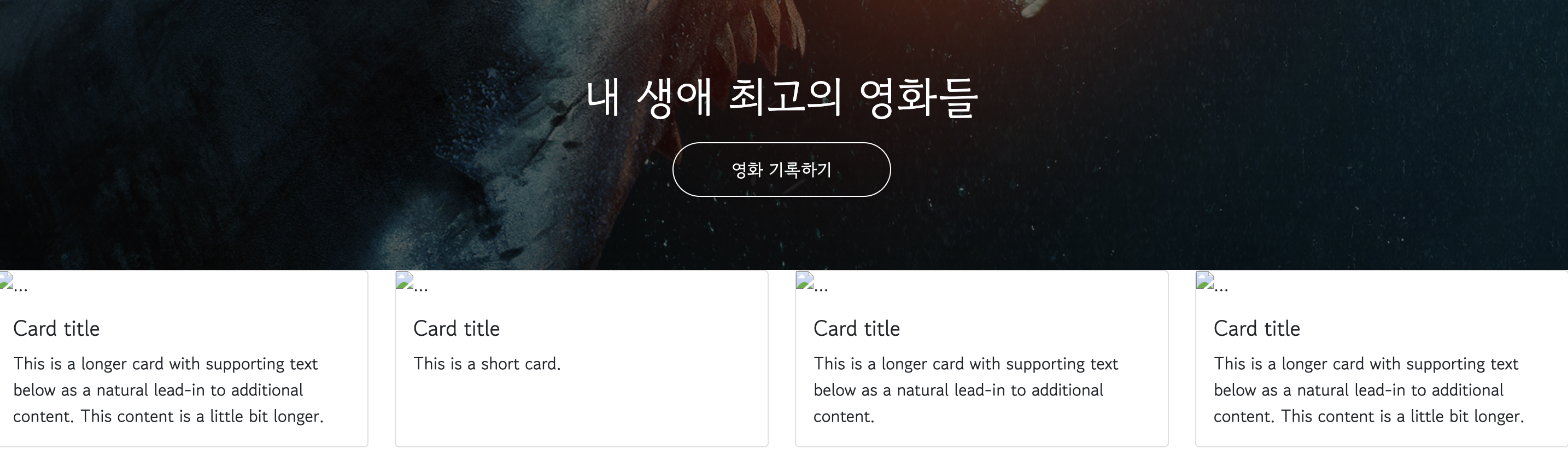
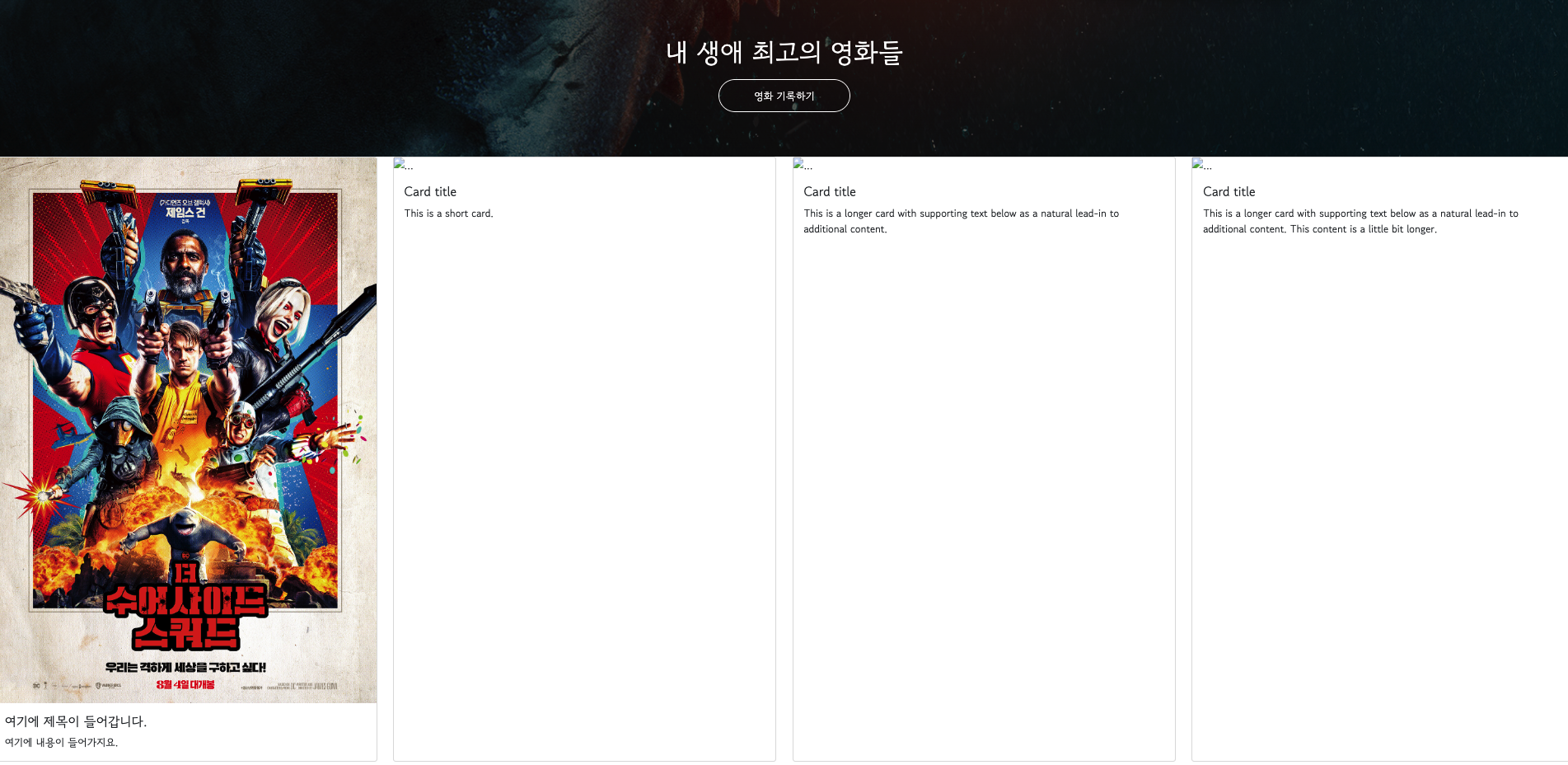
Code snippet; poster image
https://movie-phinf.pstatic.net/20210728_221/1627440327667GyoYj_JPEG/movie_image.jpg
- Copy the code snippet of poster image above and paste it into
<img src="">
<img src="https://movie-phinf.pstatic.net/20210728_221/1627440327667GyoYj_JPEG/movie_image.jpg" class="card-img-top" alt="...">
Change
card titleto여기에 제목이 들어갑니다.<h5 class="card-title">여기에 제목이 들어갑니다. </h5>Add
여기에 내용이 들어가지요to<p>
<p class="card-text">여기에 내용이 들어가지요.</p>
<!doctype html>
<html lang="en">

<head>
    <meta charset="utf-8">
    <meta name="viewport" content="width=device-width, initial-scale=1, shrink-to-fit=no">

    <link href="https://cdn.jsdelivr.net/npm/bootstrap@5.0.2/dist/css/bootstrap.min.css" rel="stylesheet"
        integrity="sha384-EVSTQN3/azprG1Anm3QDgpJLIm9Nao0Yz1ztcQTwFspd3yD65VohhpuuCOmLASjC" crossorigin="anonymous">
    <script src="https://ajax.googleapis.com/ajax/libs/jquery/3.5.1/jquery.min.js"></script>
    <script src="https://cdn.jsdelivr.net/npm/bootstrap@5.0.2/dist/js/bootstrap.bundle.min.js"
        integrity="sha384-MrcW6ZMFYlzcLA8Nl+NtUVF0sA7MsXsP1UyJoMp4YLEuNSfAP+JcXn/tWtIaxVXM"
        crossorigin="anonymous"></script>

    <title>스파르타코딩클럽 | 부트스트랩 연습하기</title>
    <link href="https://fonts.googleapis.com/css2?family=Gowun+Dodum&display=swap" rel="stylesheet">

    <style>
        * {
            font-family: 'Gowun Dodum', sans-serif;
        }
        .mytitle {
            background-color: green;

            width: 100%;
            height: 250px;

            background-image: linear-gradient(0deg, rgba(0, 0, 0, 0.5), rgba(0, 0, 0, 0.5)), url("https://movie-phinf.pstatic.net/20210715_95/1626338192428gTnJl_JPEG/movie_image.jpg");
            background-position: center;
            background-size: cover;

            color: white;

            display: flex;
            flex-direction: column;
            justify-content: center;
            align-items: center;
        }
        .mytitle > button{
            width: 200px;
            height: 50px;

            background-color: transparent;

            color: white;

            border-radius: 50px;

            border: 1px solid white;

            margin-top: 10px;
        }
        .mytitle > button:hover {
            border: 2px solid white;

        }
    </style>
</head>

<body>
    <div class="mytitle">
        <h1>내 생애 최고의 영화들</h1>
        <button>영화 기록하기</button>
    </div>
    <div class="row row-cols-1 row-cols-md-4 g-4">
      <div class="col">
        <div class="card h-100">
          <img src="https://movie-phinf.pstatic.net/20210728_221/1627440327667GyoYj_JPEG/movie_image.jpg" class="card-img-top" alt="...">
          <div class="card-body">
            <h5 class="card-title">여기에 제목이 들어갑니다. </h5>
            <p class="card-text">여기에 내용이 들어가지요.</p>
          </div>
        </div>
      </div>
      <div class="col">
        <div class="card h-100">
          <img src="..." class="card-img-top" alt="...">
          <div class="card-body">
            <h5 class="card-title">Card title</h5>
            <p class="card-text">This is a short card.</p>
          </div>
        </div>
      </div>
      <div class="col">
        <div class="card h-100">
          <img src="..." class="card-img-top" alt="...">
          <div class="card-body">
            <h5 class="card-title">Card title</h5>
            <p class="card-text">This is a longer card with supporting text below as a natural lead-in to additional content.</p>
          </div>
        </div>
      </div>
      <div class="col">
        <div class="card h-100">
          <img src="..." class="card-img-top" alt="...">
          <div class="card-body">
            <h5 class="card-title">Card title</h5>
            <p class="card-text">This is a longer card with supporting text below as a natural lead-in to additional content. This content is a little bit longer.</p>
          </div>
        </div>
      </div>
    </div>
</body>

</html>
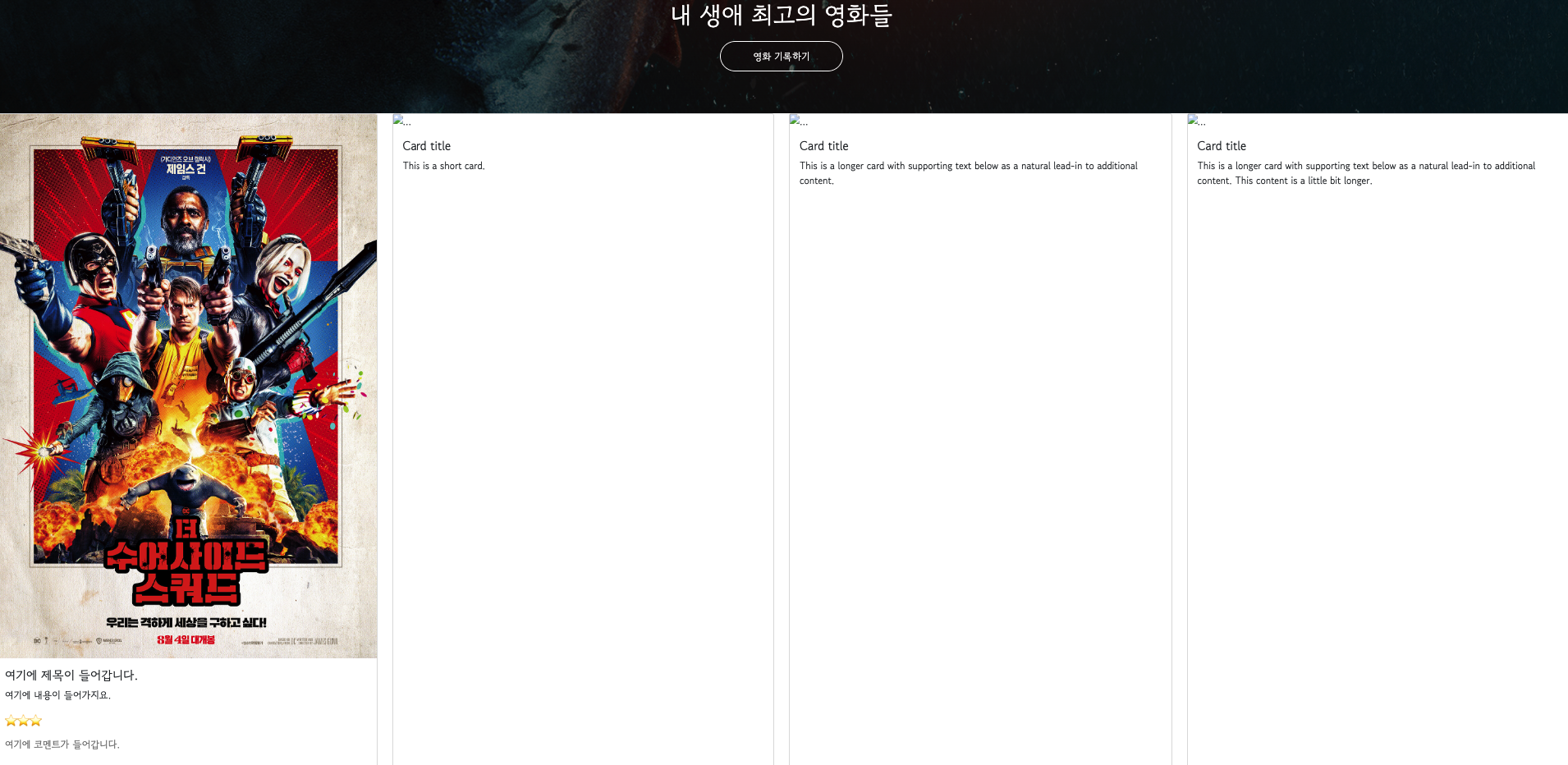
- To add the stars for review and comment section, use
<p>tag.
<p>⭐⭐⭐</p>
<!doctype html>
<html lang="en">

<head>
    <meta charset="utf-8">
    <meta name="viewport" content="width=device-width, initial-scale=1, shrink-to-fit=no">

    <link href="https://cdn.jsdelivr.net/npm/bootstrap@5.0.2/dist/css/bootstrap.min.css" rel="stylesheet"
        integrity="sha384-EVSTQN3/azprG1Anm3QDgpJLIm9Nao0Yz1ztcQTwFspd3yD65VohhpuuCOmLASjC" crossorigin="anonymous">
    <script src="https://ajax.googleapis.com/ajax/libs/jquery/3.5.1/jquery.min.js"></script>
    <script src="https://cdn.jsdelivr.net/npm/bootstrap@5.0.2/dist/js/bootstrap.bundle.min.js"
        integrity="sha384-MrcW6ZMFYlzcLA8Nl+NtUVF0sA7MsXsP1UyJoMp4YLEuNSfAP+JcXn/tWtIaxVXM"
        crossorigin="anonymous"></script>

    <title>스파르타코딩클럽 | 부트스트랩 연습하기</title>
    <link href="https://fonts.googleapis.com/css2?family=Gowun+Dodum&display=swap" rel="stylesheet">

    <style>
        * {
            font-family: 'Gowun Dodum', sans-serif;
        }
        .mytitle {
            background-color: green;

            width: 100%;
            height: 250px;

            background-image: linear-gradient(0deg, rgba(0, 0, 0, 0.5), rgba(0, 0, 0, 0.5)), url("https://movie-phinf.pstatic.net/20210715_95/1626338192428gTnJl_JPEG/movie_image.jpg");
            background-position: center;
            background-size: cover;

            color: white;

            display: flex;
            flex-direction: column;
            justify-content: center;
            align-items: center;
        }
        .mytitle > button{
            width: 200px;
            height: 50px;

            background-color: transparent;

            color: white;

            border-radius: 50px;

            border: 1px solid white;

            margin-top: 10px;
        }
        .mytitle > button:hover {
            border: 2px solid white;

        }
    </style>
</head>

<body>
    <div class="mytitle">
        <h1>내 생애 최고의 영화들</h1>
        <button>영화 기록하기</button>
    </div>
    <div class="row row-cols-1 row-cols-md-4 g-4">
      <div class="col">
        <div class="card h-100">
          <img src="https://movie-phinf.pstatic.net/20210728_221/1627440327667GyoYj_JPEG/movie_image.jpg" class="card-img-top" alt="...">
          <div class="card-body">
            <h5 class="card-title">여기에 제목이 들어갑니다. </h5>
            <p class="card-text">여기에 내용이 들어가지요.</p>
            <p>⭐⭐⭐</p>
          </div>
        </div>
      </div>
      <div class="col">
        <div class="card h-100">
          <img src="..." class="card-img-top" alt="...">
          <div class="card-body">
            <h5 class="card-title">Card title</h5>
            <p class="card-text">This is a short card.</p>
          </div>
        </div>
      </div>
      <div class="col">
        <div class="card h-100">
          <img src="..." class="card-img-top" alt="...">
          <div class="card-body">
            <h5 class="card-title">Card title</h5>
            <p class="card-text">This is a longer card with supporting text below as a natural lead-in to additional content.</p>
          </div>
        </div>
      </div>
      <div class="col">
        <div class="card h-100">
          <img src="..." class="card-img-top" alt="...">
          <div class="card-body">
            <h5 class="card-title">Card title</h5>
            <p class="card-text">This is a longer card with supporting text below as a natural lead-in to additional content. This content is a little bit longer.</p>
          </div>
        </div>
      </div>
    </div>
</body>

</html>
- Add comment section and change its color.
            <p>⭐⭐⭐</p>
            <p class="mycomment">여기에 코멘트가 들어갑니다.</p>
        .mycomment {
            color: gray;
        }
<!doctype html>
<html lang="en">

<head>
    <meta charset="utf-8">
    <meta name="viewport" content="width=device-width, initial-scale=1, shrink-to-fit=no">

    <link href="https://cdn.jsdelivr.net/npm/bootstrap@5.0.2/dist/css/bootstrap.min.css" rel="stylesheet"
        integrity="sha384-EVSTQN3/azprG1Anm3QDgpJLIm9Nao0Yz1ztcQTwFspd3yD65VohhpuuCOmLASjC" crossorigin="anonymous">
    <script src="https://ajax.googleapis.com/ajax/libs/jquery/3.5.1/jquery.min.js"></script>
    <script src="https://cdn.jsdelivr.net/npm/bootstrap@5.0.2/dist/js/bootstrap.bundle.min.js"
        integrity="sha384-MrcW6ZMFYlzcLA8Nl+NtUVF0sA7MsXsP1UyJoMp4YLEuNSfAP+JcXn/tWtIaxVXM"
        crossorigin="anonymous"></script>

    <title>스파르타코딩클럽 | 부트스트랩 연습하기</title>
    <link href="https://fonts.googleapis.com/css2?family=Gowun+Dodum&display=swap" rel="stylesheet">

    <style>
        * {
            font-family: 'Gowun Dodum', sans-serif;
        }
        .mytitle {
            background-color: green;

            width: 100%;
            height: 250px;

            background-image: linear-gradient(0deg, rgba(0, 0, 0, 0.5), rgba(0, 0, 0, 0.5)), url("https://movie-phinf.pstatic.net/20210715_95/1626338192428gTnJl_JPEG/movie_image.jpg");
            background-position: center;
            background-size: cover;

            color: white;

            display: flex;
            flex-direction: column;
            justify-content: center;
            align-items: center;
        }
        .mytitle > button{
            width: 200px;
            height: 50px;

            background-color: transparent;

            color: white;

            border-radius: 50px;

            border: 1px solid white;

            margin-top: 10px;
        }
        .mytitle > button:hover {
            border: 2px solid white;

        }
        .mycomment {
            color: gray;
        }
    </style>
</head>

<body>
    <div class="mytitle">
        <h1>내 생애 최고의 영화들</h1>
        <button>영화 기록하기</button>
    </div>
    <div class="row row-cols-1 row-cols-md-4 g-4">
      <div class="col">
        <div class="card h-100">
          <img src="https://movie-phinf.pstatic.net/20210728_221/1627440327667GyoYj_JPEG/movie_image.jpg" class="card-img-top" alt="...">
          <div class="card-body">
            <h5 class="card-title">여기에 제목이 들어갑니다. </h5>
            <p class="card-text">여기에 내용이 들어가지요.</p>
            <p>⭐⭐⭐</p>
            <p class="mycomment">여기에 코멘트가 들어갑니다.</p>
          </div>
        </div>
      </div>
      <div class="col">
        <div class="card h-100">
          <img src="..." class="card-img-top" alt="...">
          <div class="card-body">
            <h5 class="card-title">Card title</h5>
            <p class="card-text">This is a short card.</p>
          </div>
        </div>
      </div>
      <div class="col">
        <div class="card h-100">
          <img src="..." class="card-img-top" alt="...">
          <div class="card-body">
            <h5 class="card-title">Card title</h5>
            <p class="card-text">This is a longer card with supporting text below as a natural lead-in to additional content.</p>
          </div>
        </div>
      </div>
      <div class="col">
        <div class="card h-100">
          <img src="..." class="card-img-top" alt="...">
          <div class="card-body">
            <h5 class="card-title">Card title</h5>
            <p class="card-text">This is a longer card with supporting text below as a natural lead-in to additional content. This content is a little bit longer.</p>
          </div>
        </div>
      </div>
    </div>
</body>

</html>
- Let's substitute the empty cards with the one we just made.

- To narrow their width a bit, we need to group all the block by using
<div class="wrap">and move the block in the code.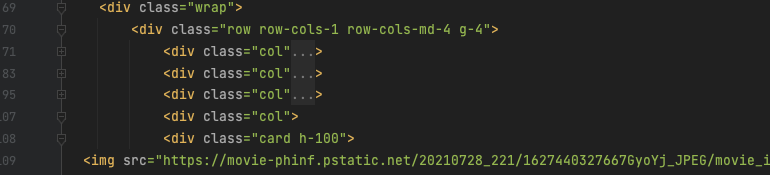
Change its size by changing
<style>.wrap { width: 1200px; }
To move it to the center, use
<margin>
        .wrap {
            width: 1200px;
            margin: 20px auto 0px auto;
        }
