Week3 Assessment
Web Crawling- Genie Music
Scrap rank, title, and singer from the Genie music.
Reference; Genie Music
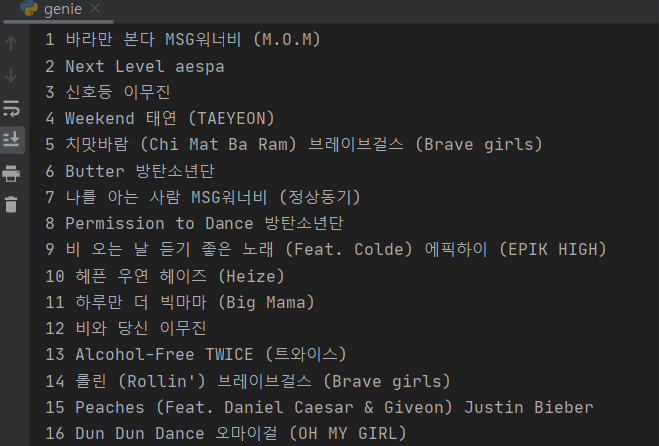
create a file named 'genie.py'
add the basic structure of web crawling.
import requests
from bs4 import BeautifulSoup

# 타겟 URL을 읽어서 HTML를 받아오고,
headers = {'User-Agent' : 'Mozilla/5.0 (Windows NT 10.0; Win64; x64)AppleWebKit/537.36 (KHTML, like Gecko) Chrome/73.0.3683.86 Safari/537.36'}
data = requests.get('https://movie.naver.com/movie/sdb/rank/rmovie.naver?sel=pnt&date=20210829',headers=headers)

# HTML을 BeautifulSoup이라는 라이브러리를 활용해 검색하기 용이한 상태로 만듦
# soup이라는 변수에 "파싱 용이해진 html"이 담긴 상태가 됨
# 이제 코딩을 통해 필요한 부분을 추출하면 된다.
soup = BeautifulSoup(data.text, 'html.parser')

#############################
# (입맛에 맞게 코딩)
#############################
- change the url.
import requests
from bs4 import BeautifulSoup

# 타겟 URL을 읽어서 HTML를 받아오고,
headers = {'User-Agent' : 'Mozilla/5.0 (Windows NT 10.0; Win64; x64)AppleWebKit/537.36 (KHTML, like Gecko) Chrome/73.0.3683.86 Safari/537.36'}
data = requests.get('https://www.genie.co.kr/chart/top200?ditc=M&rtm=N&ymd=20210701',headers=headers)

# HTML을 BeautifulSoup이라는 라이브러리를 활용해 검색하기 용이한 상태로 만듦
# soup이라는 변수에 "파싱 용이해진 html"이 담긴 상태가 됨
# 이제 코딩을 통해 필요한 부분을 추출하면 된다.
soup = BeautifulSoup(data.text, 'html.parser')
print(soup)to test the code.
Rank.
- click on copy selector for the first and second rank and paste it.
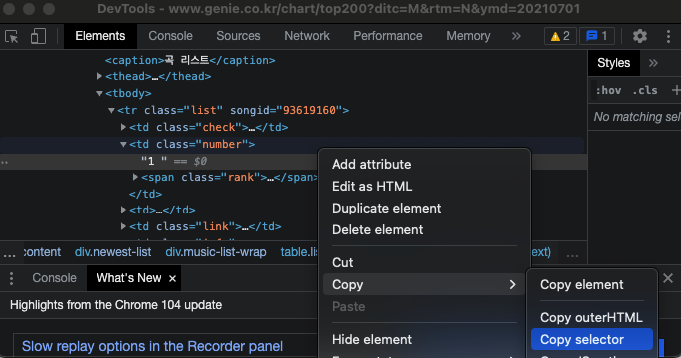
these have the same code until
tr
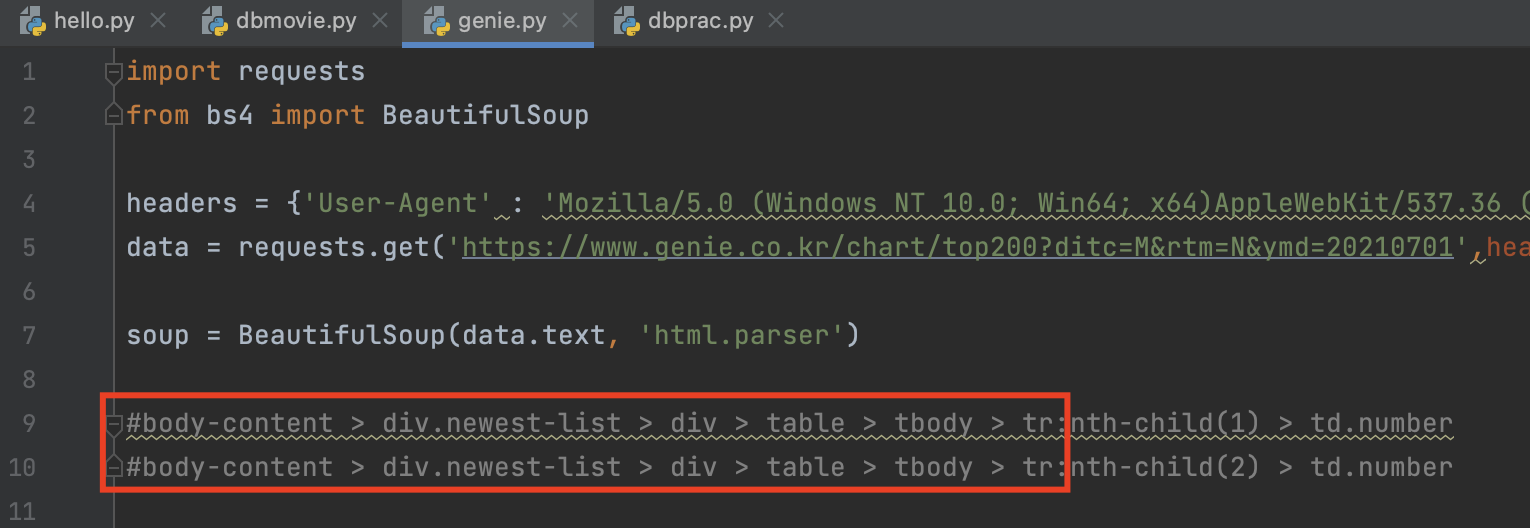
- write a code like the below.
trs = soup.select('#body-content > div.newest-list > div > table > tbody > tr')
- write
for()statement.
import requests
from bs4 import BeautifulSoup

headers = {'User-Agent' : 'Mozilla/5.0 (Windows NT 10.0; Win64; x64)AppleWebKit/537.36 (KHTML, like Gecko) Chrome/73.0.3683.86 Safari/537.36'}
data = requests.get('https://www.genie.co.kr/chart/top200?ditc=M&rtm=N&ymd=20210701',headers=headers)

soup = BeautifulSoup(data.text, 'html.parser')

#body-content > div.newest-list > div > table > tbody > tr:nth-child(1) > td.number
#body-content > div.newest-list > div > table > tbody > tr:nth-child(2) > td.number

trs = soup.select('#body-content > div.newest-list > div > table > tbody > tr')

for tr in trs:
    rank = tr.select_one('td.number')
    print(rank)
(copy selectors can be deleted)
import requests
from bs4 import BeautifulSoup

headers = {'User-Agent' : 'Mozilla/5.0 (Windows NT 10.0; Win64; x64)AppleWebKit/537.36 (KHTML, like Gecko) Chrome/73.0.3683.86 Safari/537.36'}
data = requests.get('https://www.genie.co.kr/chart/top200?ditc=M&rtm=N&ymd=20210701',headers=headers)

soup = BeautifulSoup(data.text, 'html.parser')

trs = soup.select('#body-content > div.newest-list > div > table > tbody > tr')

for tr in trs:
    rank = tr.select_one('td.number')
    print(rank)
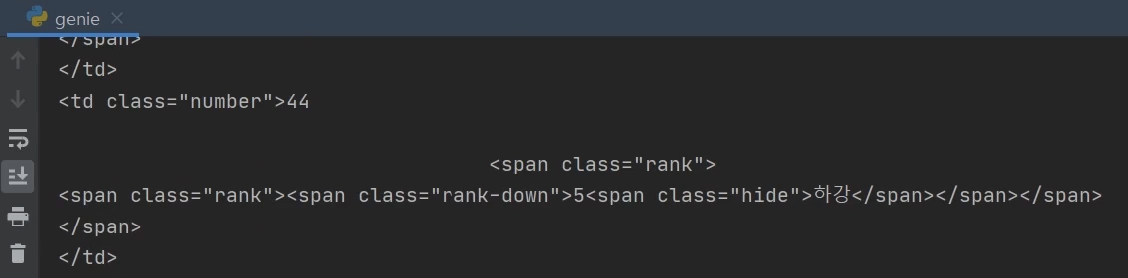
- let's run
print(rank.text)
- We need to use
text[0:2]
import requests
from bs4 import BeautifulSoup

headers = {'User-Agent' : 'Mozilla/5.0 (Windows NT 10.0; Win64; x64)AppleWebKit/537.36 (KHTML, like Gecko) Chrome/73.0.3683.86 Safari/537.36'}
data = requests.get('https://www.genie.co.kr/chart/top200?ditc=M&rtm=N&ymd=20210701',headers=headers)

soup = BeautifulSoup(data.text, 'html.parser')

trs = soup.select('#body-content > div.newest-list > div > table > tbody > tr')

for tr in trs:
    rank = tr.select_one('td.number')
    print(rank.text[0:2])
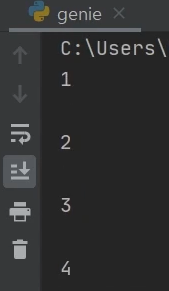
- to delete blanks, we need to use
strip()
import requests
from bs4 import BeautifulSoup

headers = {'User-Agent' : 'Mozilla/5.0 (Windows NT 10.0; Win64; x64)AppleWebKit/537.36 (KHTML, like Gecko) Chrome/73.0.3683.86 Safari/537.36'}
data = requests.get('https://www.genie.co.kr/chart/top200?ditc=M&rtm=N&ymd=20210701',headers=headers)

soup = BeautifulSoup(data.text, 'html.parser')

trs = soup.select('#body-content > div.newest-list > div > table > tbody > tr')

for tr in trs:
    rank = tr.select_one('td.number')
    print(rank.text[0:2].strip())
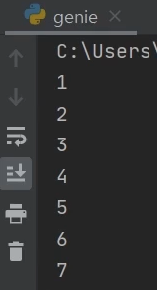
.text[0:2].strip()can be added to the end ofrankcode.
for tr in trs:
    rank = tr.select_one('td.number')
    print(rank.text[0:2].strip())
to
for tr in trs:
    rank = tr.select_one('td.number').text[0:2].strip()
    print(rank)
Title
- click on copy selector and paste it.
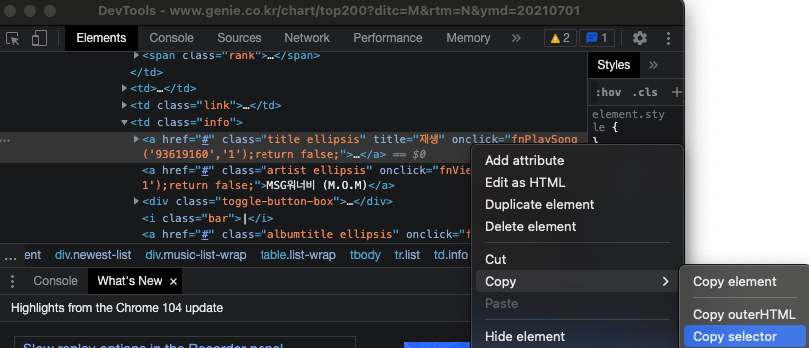
#body-content > div.newest-list > div > table > tbody > tr:nth-child(1) > td.info > a.title.ellipsis
we need the part after
tdin the code.
title = tr.select_one('td.info > a.title.ellipsis')
print title
for tr in trs:
  rank = tr.select_one('td.number').text[0:2].strip()
  title = tr.select_one('td.info > a.title.ellipsis')
  print(title)
add
.textandstrip()and add them to the end of title.
for tr in trs:
    rank = tr.select_one('td.number').text[0:2].strip()
    title = tr.select_one('td.info > a.title.ellipsis').text.strip()
    print(title)
Artist.
add
artist = tr.select_one('td.info > a.artist.ellipsis')add
.text
artist = tr.select_one('td.info > a.artist.ellipsis').text
for tr in trs:
    rank = tr.select_one('td.number').text[0:2].strip()
    title = tr.select_one('td.info > a.title.ellipsis').text.strip()
    artist = tr.select_one('td.info > a.artist.ellipsis').text
    print(artist)
- print things we want to see.
import requests
from bs4 import BeautifulSoup

headers = {'User-Agent' : 'Mozilla/5.0 (Windows NT 10.0; Win64; x64)AppleWebKit/537.36 (KHTML, like Gecko) Chrome/73.0.3683.86 Safari/537.36'}
data = requests.get('https://www.genie.co.kr/chart/top200?ditc=M&rtm=N&ymd=20210701',headers=headers)

soup = BeautifulSoup(data.text, 'html.parser')

trs = soup.select('#body-content > div.newest-list > div > table > tbody > tr')

for tr in trs:
    rank = tr.select_one('td.number').text[0:2].strip()
    title = tr.select_one('td.info > a.title.ellipsis').text.strip()
    artist = tr.select_one('td.info > a.artist.ellipsis').text
    print(rank, title, artist)