Package ; functions or class already made by someone. It can be used by using 'import'
Pandas
; used to analyze data in Python. Pandas allows us to use data frame structure.
How to use Pandas?
import pandas as pdandpd.'a name of a function'
Practice1. Make a dataframe
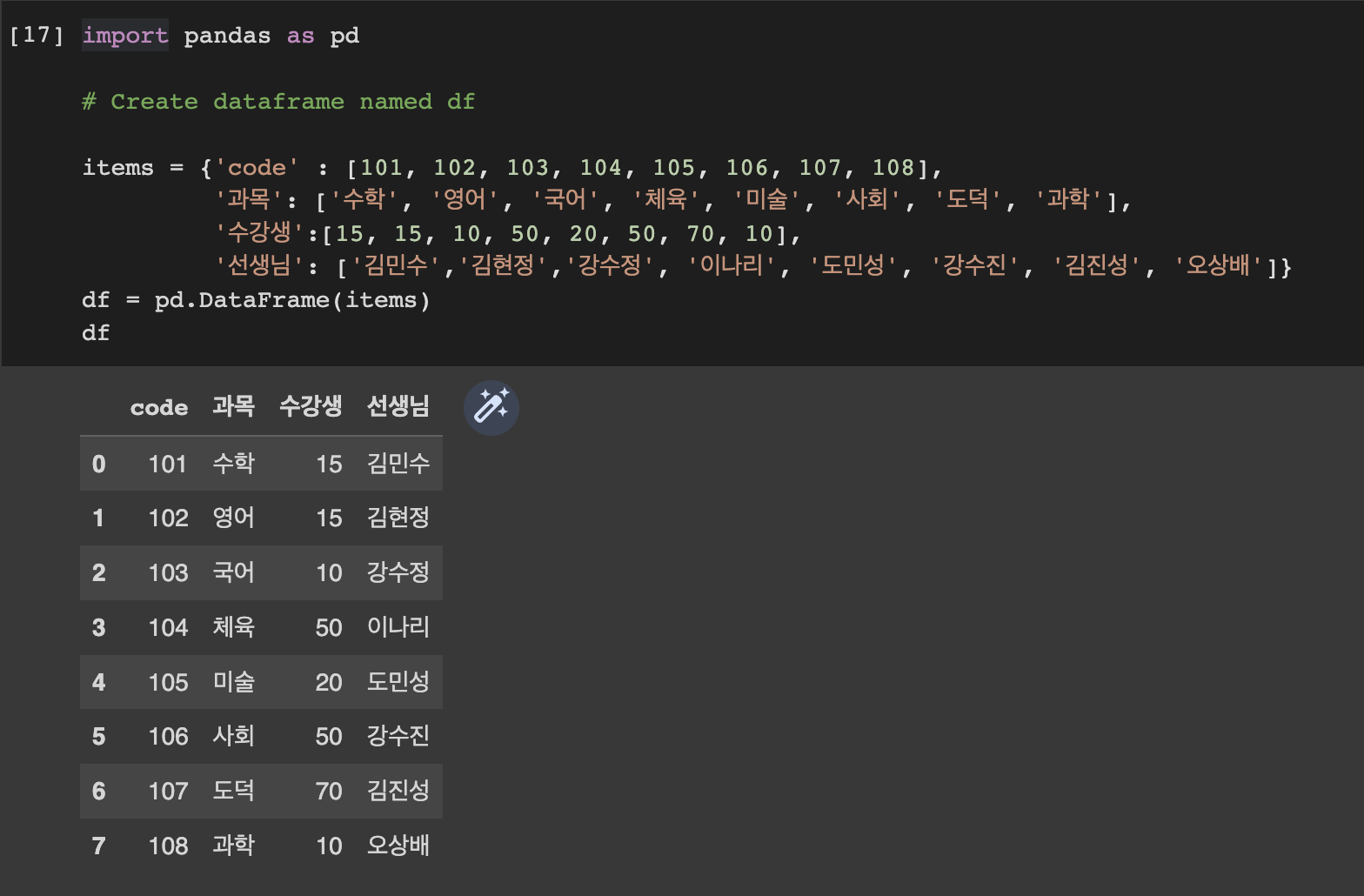
import pandas as pd

# Create dataframe named df

items = {'code' : [101, 102, 103, 104, 105, 106, 107, 108],
         '과목': ['수학', '영어', '국어', '체육', '미술', '사회', '도덕', '과학'],
         '수강생':[15, 15, 10, 50, 20, 50, 70, 10],
         '선생님': ['김민수','김현정','강수정', '이나리', '도민성', '강수진', '김진성', '오상배']}
df = pd.DataFrame(items)
df
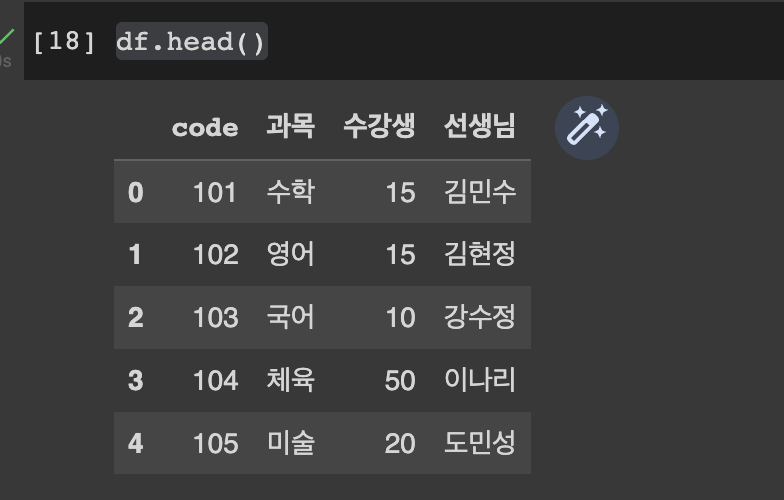
df.head()shows only top 5 rows.
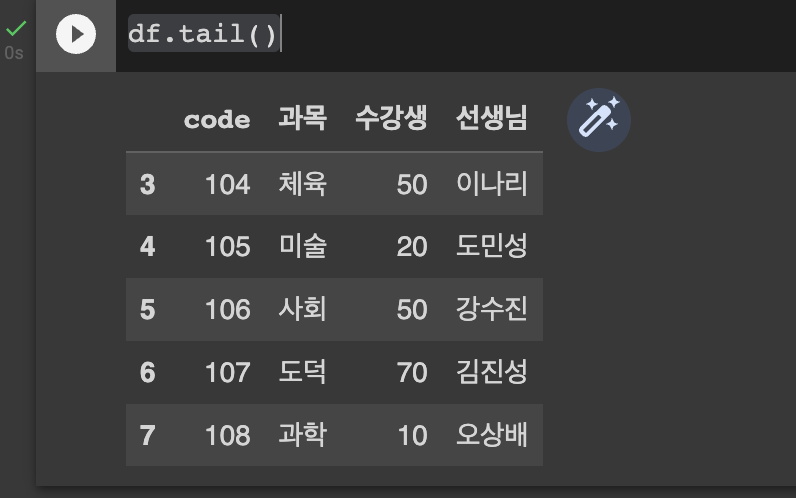
df.tail()shows only bottom 5 rows.
df.sample(3)sample data randomly.

Practice2. Make a dataframe
items2 = {'code' : [109, 110],
         '과목': ['컴퓨터', '한자'],
         '수강생':[10, 12],
         '선생님': ['이철민', '김영우']}
df2 = pd.DataFrame(items2)
df2
Why is it df2?
Since df was already created for items1 above, we need a new df.
to merge two table(df and df2), use concat.
total_df = pd.concat([df, df2])
total_df
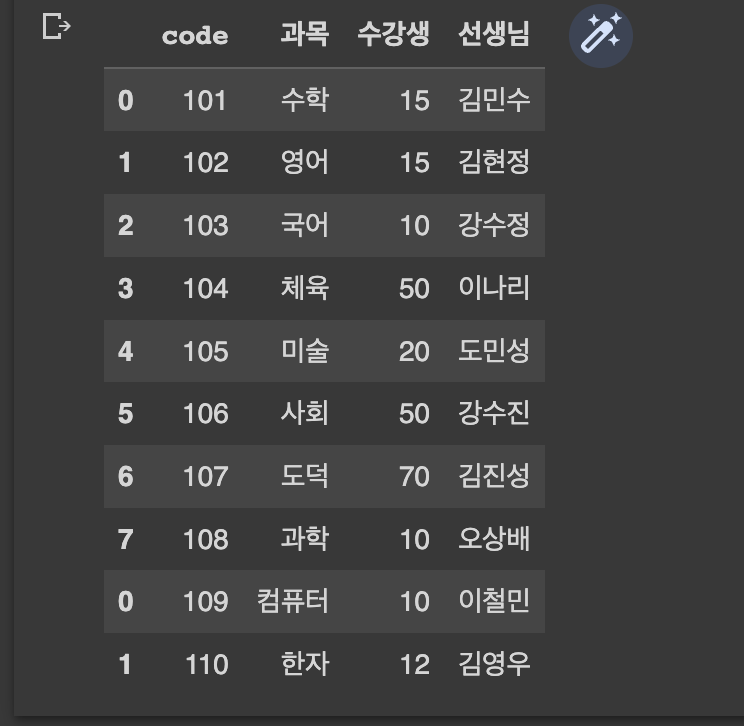
How to save merged table?
total_df.to_csv('data.csv')
if
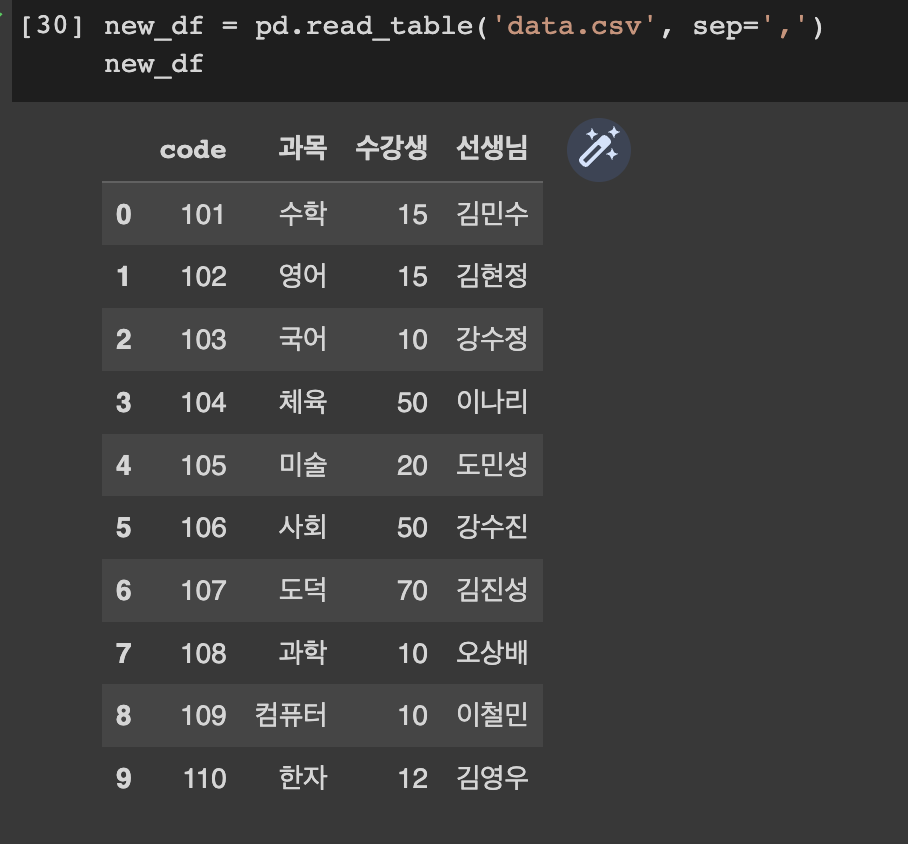
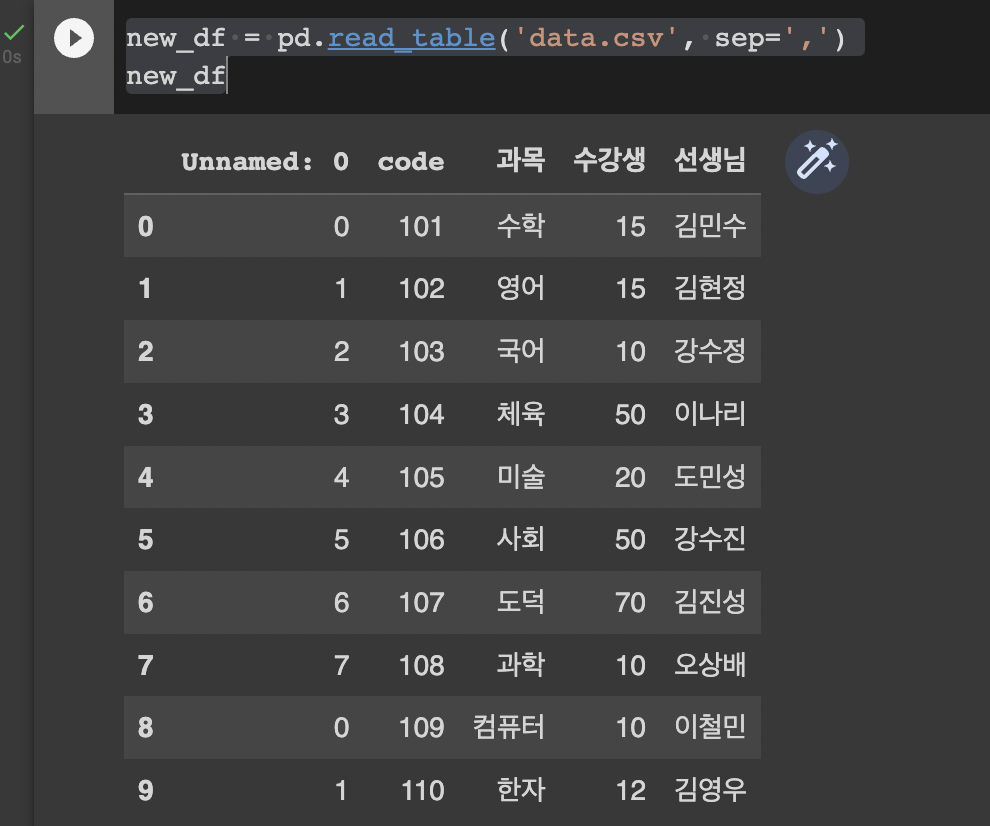
index=Falseis added,total_df.to_csv('data.csv', index=False)it does not show 'unnamed' as below.
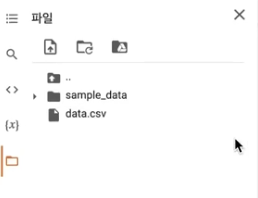
the file can be downloaded from the left section.
to import the saved csv file,
new_df = pd.read_table('data.csv', sep=',')
new_df
Comments
Join the discussionNo comments yet. Be the first to comment.