Package
How to install the library?
Let's install library. To do this, click on PyCharm - Preferences - Project: pythonprac - Python Interpreter - '+' and type and install 'requests'.
Reference; Seoul Air OpenAPI
import requests # requests 라이브러리 설치 필요

r = requests.get('http://spartacodingclub.shop/sparta_api/seoulair')
rjson = r.json()
- do
print(rjson)
import requests # requests 라이브러리 설치 필요

r = requests.get('http://spartacodingclub.shop/sparta_api/seoulair')
rjson = r.json()

print(rjson)

- We need the row data.
import requests # requests 라이브러리 설치 필요

r = requests.get('http://spartacodingclub.shop/sparta_api/seoulair')
rjson = r.json()

rows = rjson['RealtimeCityAir']['row']
print(rows)

import requests # requests 라이브러리 설치 필요

r = requests.get('http://spartacodingclub.shop/sparta_api/seoulair')
rjson = r.json()

rows = rjson['RealtimeCityAir']['row']

for row in rows:
    print(row)

- let's see
gu_nameandindex
import requests # requests 라이브러리 설치 필요

r = requests.get('http://spartacodingclub.shop/sparta_api/seoulair')
rjson = r.json()

rows = rjson['RealtimeCityAir']['row']

for row in rows:
    gu_name = row['MSRSTE_NM']
    gu_mise = row['IDEX_MVL']
    print(gu_name, gu_mise)
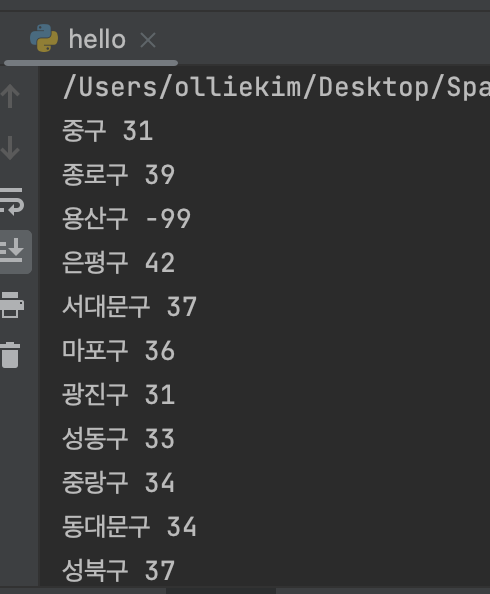
how to see data having index less than 60?
; we need to use if
import requests # requests 라이브러리 설치 필요

r = requests.get('http://spartacodingclub.shop/sparta_api/seoulair')
rjson = r.json()

rows = rjson['RealtimeCityAir']['row']

for row in rows:
    gu_name = row['MSRSTE_NM']
    gu_mise = row['IDEX_MVL']
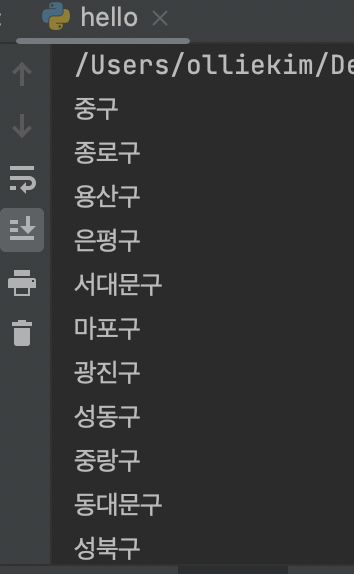
    if gu_mise < 60:
        print(gu_name)