MongoDB
To use MongoDB, we need to install a library named pymongoand dnspython on Pycharm.
Pymongo basic code
from pymongo import MongoClient
client = MongoClient('여기에 URL 입력')
db = client.dbsparta
- create a new Python file named 'dbprac' and paste the Pymongo basic code there.
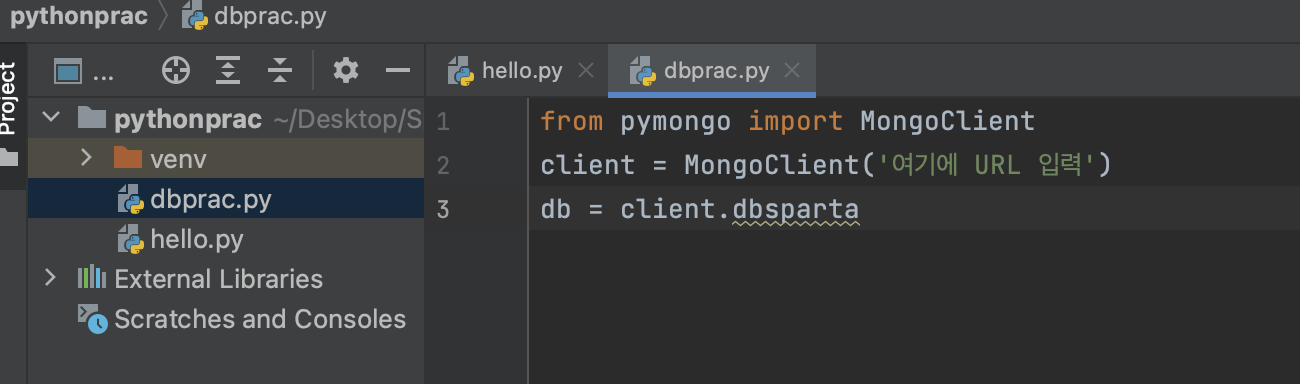
- The URL there should be the one below.
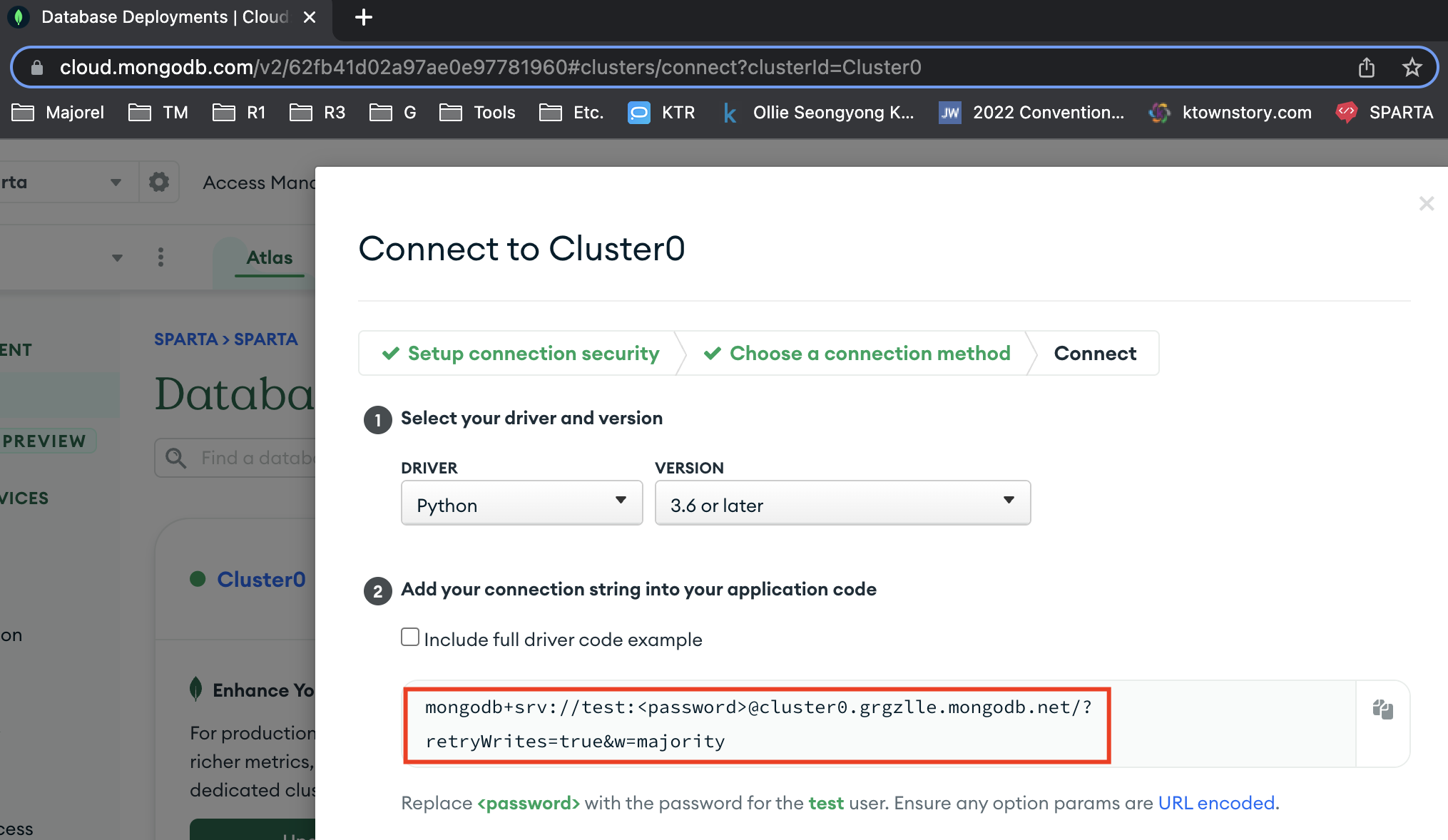
from pymongo import MongoClient
client = MongoClient('mongodb+srv://test:<password>@cluster0.grgzlle.mongodb.net/?retryWrites=true&w=majority')
db = client.dbsparta
- let's add data to the code and run the code.
from pymongo import MongoClient
client = MongoClient('mongodb+srv://test:sparta@cluster0.grgzlle.mongodb.net/?retryWrites=true&w=majority')
db = client.dbsparta

doc = {
    'name':'bob',
    'age':27
}

db.users.insert_one(doc)
- To check if the data added successfully, click on 'Browse Collections'
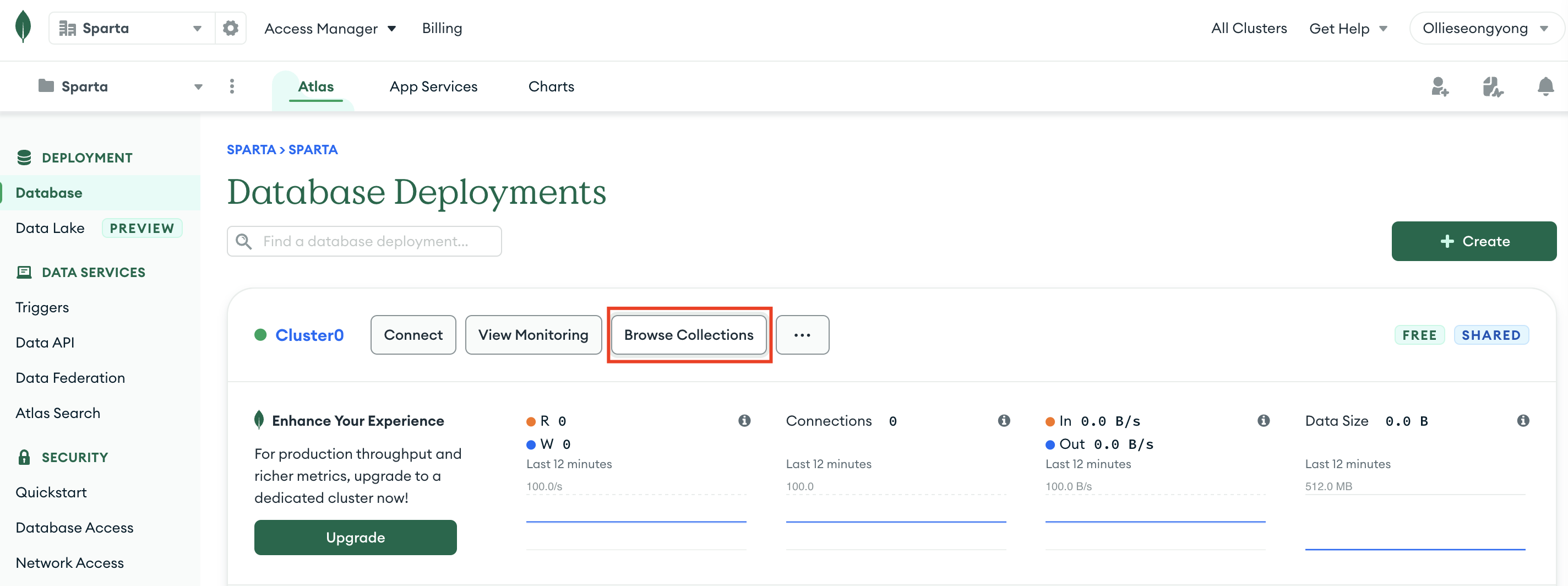
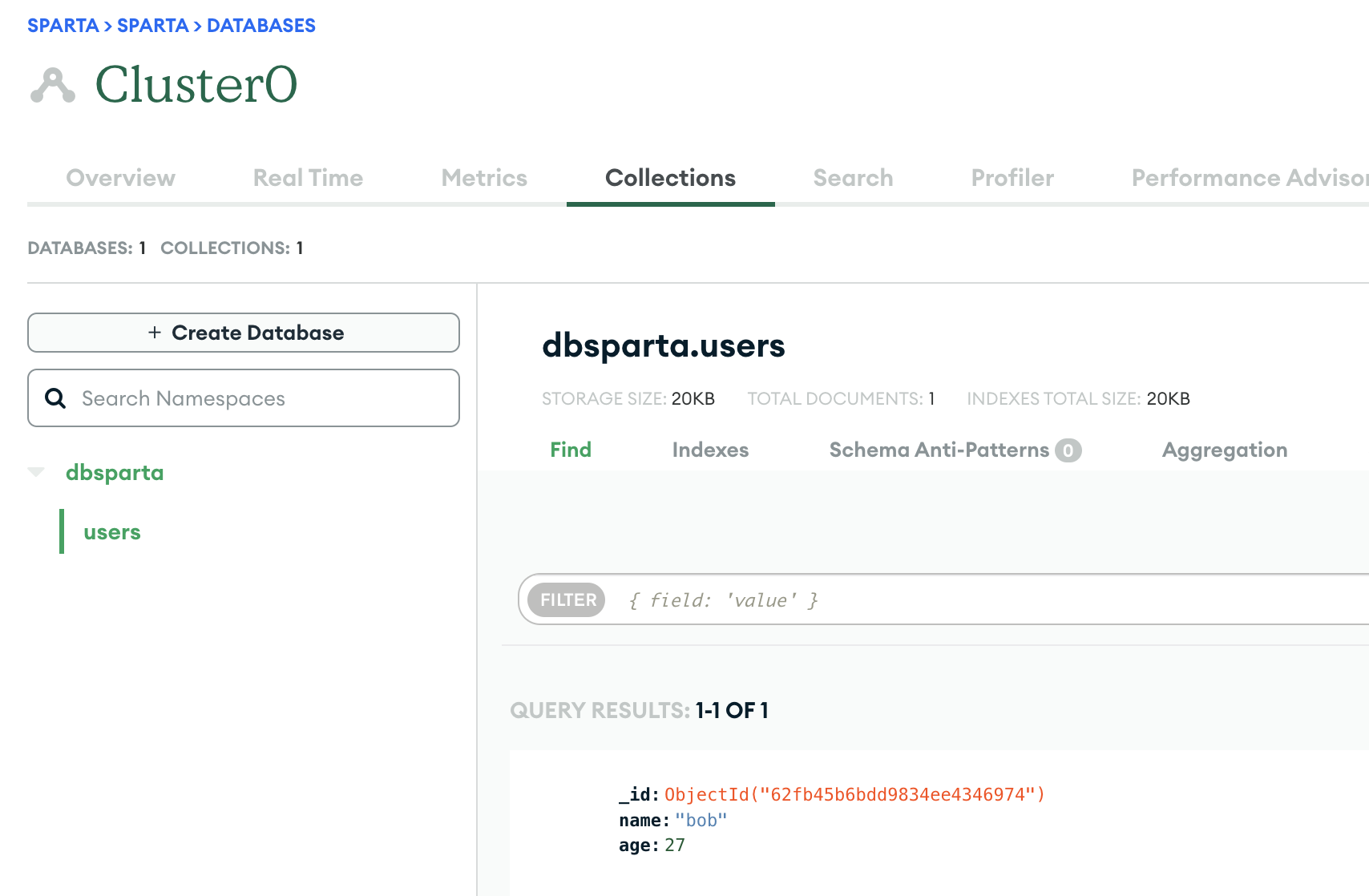
Inputting data to MongoDB.
- Instead of writing data like the below,
from pymongo import MongoClient
client = MongoClient('mongodb+srv://test:sparta@cluster0.grgzlle.mongodb.net/?retryWrites=true&w=majority')
db = client.dbsparta

doc = {'name':'bob', 'age':27}
db.users.insert_one(doc)
we can directly write a code in the brackets. (but not a commonly used way)
from pymongo import MongoClient
client = MongoClient('mongodb+srv://test:sparta@cluster0.grgzlle.mongodb.net/?retryWrites=true&w=majority')
db = client.dbsparta

db.users.insert_one({'name':'bobny', 'age':27})
Look for data
user = db.users.find_one({'name':'bobby'})
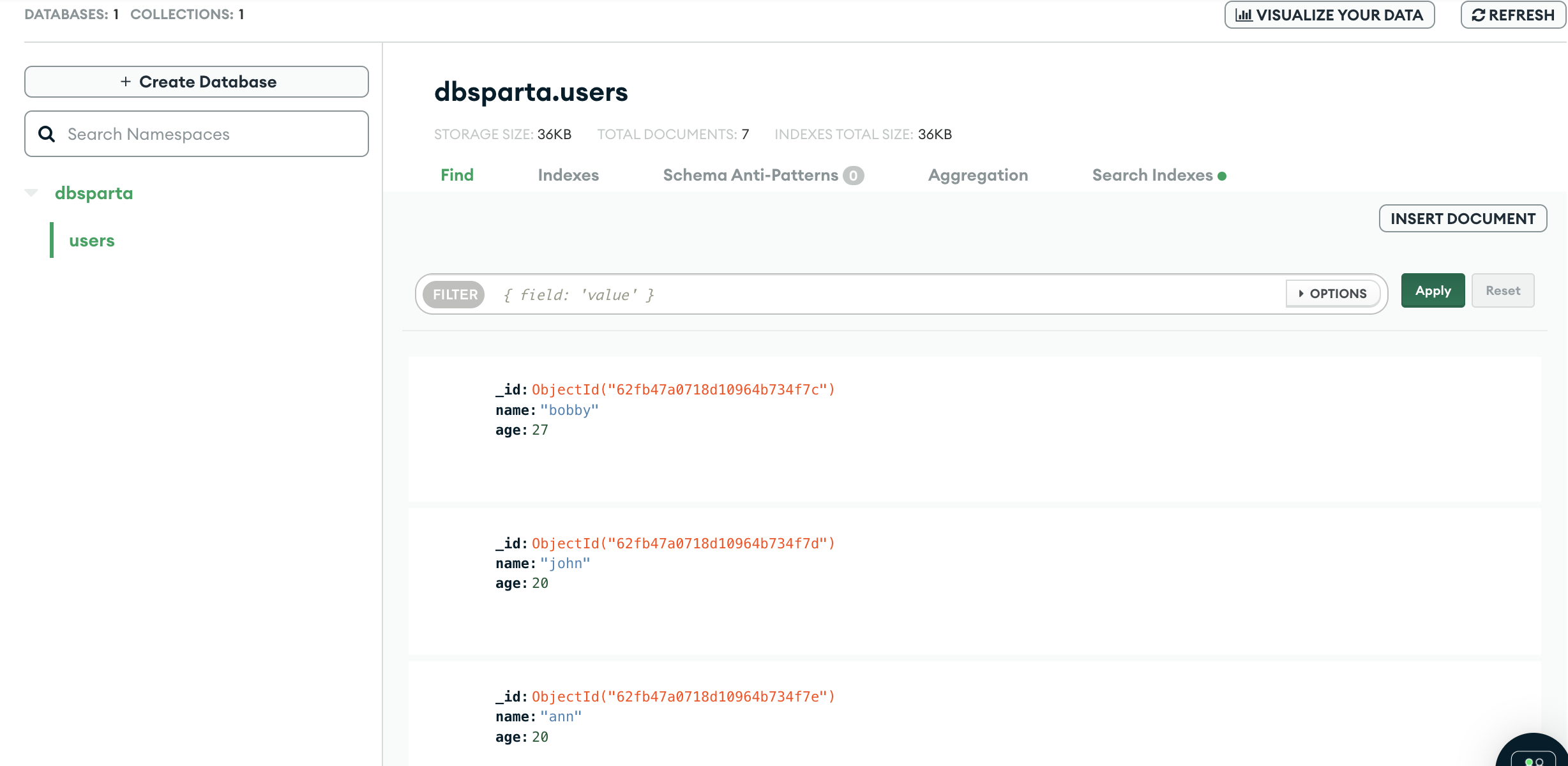
- let's add more data and run it.
from pymongo import MongoClient
client = MongoClient('mongodb+srv://test:sparta@cluster0.grgzlle.mongodb.net/?retryWrites=true&w=majority')
db = client.dbsparta

db.users.insert_one({'name':'bobby', 'age':27})
db.users.insert_one({'name':'john', 'age':20})
db.users.insert_one({'name':'ann', 'age':20})
Look for multiple data
all_users = list(db.users.find({}, {'_id':False}))
- to see all the users
from pymongo import MongoClient
client = MongoClient('mongodb+srv://test:sparta@cluster0.grgzlle.mongodb.net/?retryWrites=true&w=majority')
db = client.dbsparta

all_users = list(db.users.find({}))

for user in all_users:
    print(user)

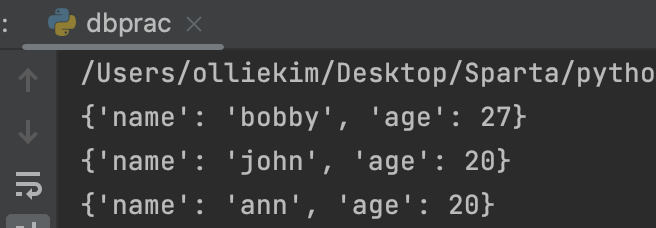
- to see the result without
{'_id' : ~}
from pymongo import MongoClient
client = MongoClient('mongodb+srv://test:sparta@cluster0.grgzlle.mongodb.net/?retryWrites=true&w=majority')
db = client.dbsparta

all_users = list(db.users.find({}, {'_id':False}))

for user in all_users:
    print(user)
what if I want to see only one data about bobby instead of all?
from pymongo import MongoClient
client = MongoClient('mongodb+srv://test:sparta@cluster0.grgzlle.mongodb.net/?retryWrites=true&w=majority')
db = client.dbsparta

user = db.users.find_one({'name':'bobby'})
print(user)

from pymongo import MongoClient
client = MongoClient('mongodb+srv://test:sparta@cluster0.grgzlle.mongodb.net/?retryWrites=true&w=majority')
db = client.dbsparta

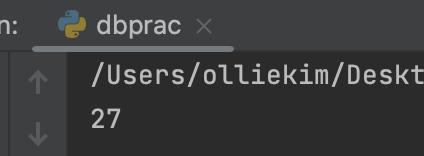
user = db.users.find_one({'name':'bobby'})
print(user['age'])
Update; Pymongo(update_one)
code
# 오타가 많으니 이 줄을 복사해서 씁시다!
db.users.update_one({'name':'bobby'},{'$set':{'age':19}})

user = db.users.find_one({'name':'bobby'})
print(user)
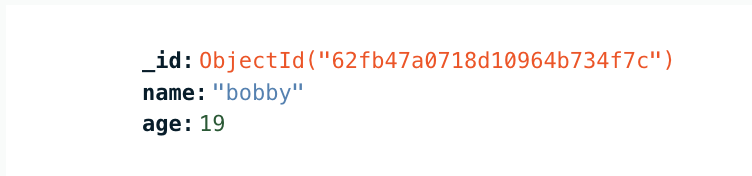
- let's run a code,
db.users.update_one({'name':'bobby'},{'$set':{'age':19}})
db.users.update_one({'name':'bobby'},{'$set':{'age':19}})meanupdate data that has a name as bobby in users by changing age to 19
Delete; Pymongo(delete_one)
code
db.users.delete_one({'name':'bobby'})
from pymongo import MongoClient
client = MongoClient('mongodb+srv://test:sparta@cluster0.grgzlle.mongodb.net/?retryWrites=true&w=majority')
db = client.dbsparta

db.users.delete_one({'name':'bobby'})
Summary of Pymongo code
# 저장 - 예시
doc = {'name':'bobby','age':21}
db.users.insert_one(doc)

# 한 개 찾기 - 예시
user = db.users.find_one({'name':'bobby'})

# 여러개 찾기 - 예시 ( _id 값은 제외하고 출력)
all_users = list(db.users.find({},{'_id':False}))

# 바꾸기 - 예시
db.users.update_one({'name':'bobby'},{'$set':{'age':19}})

# 지우기 - 예시
db.users.delete_one({'name':'bobby'})