JQuery
JQuery
; a library of Javascript which is already written to change HTML code. It's more intuitive compared to Javascript.
To use Jquery, the code below should be added between <head> and </head>
<script src="https://ajax.googleapis.com/ajax/libs/jquery/3.5.1/jquery.min.js"></script>
use the code below.
<!doctype html>
<html lang="en">

<head>
    <meta charset="utf-8">
    <meta name="viewport" content="width=device-width, initial-scale=1, shrink-to-fit=no">

    <link href="https://cdn.jsdelivr.net/npm/bootstrap@5.0.2/dist/css/bootstrap.min.css" rel="stylesheet"
          integrity="sha384-EVSTQN3/azprG1Anm3QDgpJLIm9Nao0Yz1ztcQTwFspd3yD65VohhpuuCOmLASjC" crossorigin="anonymous">
    <script src="https://ajax.googleapis.com/ajax/libs/jquery/3.5.1/jquery.min.js"></script>
    <script src="https://cdn.jsdelivr.net/npm/bootstrap@5.0.2/dist/js/bootstrap.bundle.min.js"
            integrity="sha384-MrcW6ZMFYlzcLA8Nl+NtUVF0sA7MsXsP1UyJoMp4YLEuNSfAP+JcXn/tWtIaxVXM"
            crossorigin="anonymous"></script>

    <title>스파르타 피디아</title>

    <link href="https://fonts.googleapis.com/css2?family=Gowun+Dodum&display=swap" rel="stylesheet">

    <style>
        * {
            font-family: 'Gowun Dodum', sans-serif;
        }

        .mytitle {
            width: 100%;
            height: 250px;

            background-image: linear-gradient(0deg, rgba(0, 0, 0, 0.5), rgba(0, 0, 0, 0.5)), url('https://movie-phinf.pstatic.net/20210715_95/1626338192428gTnJl_JPEG/movie_image.jpg');
            background-position: center;
            background-size: cover;

            color: white;

            display: flex;
            flex-direction: column;
            align-items: center;
            justify-content: center;
        }

        .mytitle > button {
            width: 200px;
            height: 50px;

            background-color: transparent;
            color: white;

            border-radius: 50px;
            border: 1px solid white;

            margin-top: 10px;
        }

        .mytitle > button:hover {
            border: 2px solid white;
        }

        .mycomment {
            color: gray;
        }

        .mycards {
            margin: 20px auto 0px auto;
            width: 95%;
            max-width: 1200px;
        }

        .mypost {
            width: 95%;
            max-width: 500px;
            margin: 20px auto 0px auto;
            padding: 20px;
            box-shadow: 0px 0px 3px 0px gray;
        }

        .mybtns {
            display: flex;
            flex-direction: row;
            align-items: center;
            justify-content: center;

            margin-top: 20px;
        }
        .mybtns > button {
            margin-right: 10px;
        }
    </style>
    <script>
        function hey(){
            alert('안녕!');
        }
    </script>
</head>

<body>
<div class="mytitle">
    <h1>내 생애 최고의 영화들</h1>
    <button onclick="hey()">영화 기록하기</button>
</div>
<div class="mypost">
    <div class="form-floating mb-3">
        <input type="email" class="form-control" id="floatingInput" placeholder="name@example.com">
        <label for="floatingInput">영화URL</label>
    </div>
    <div class="input-group mb-3">
        <label class="input-group-text" for="inputGroupSelect01">별점</label>
        <select class="form-select" id="inputGroupSelect01">
            <option selected>-- 선택하기 --</option>
            <option value="1">⭐</option>
            <option value="2">⭐⭐</option>
            <option value="3">⭐⭐⭐</option>
            <option value="4">⭐⭐⭐⭐</option>
            <option value="5">⭐⭐⭐⭐⭐</option>
        </select>
    </div>
    <div class="form-floating">
        <textarea class="form-control" placeholder="Leave a comment here" id="floatingTextarea2"
                  style="height: 100px"></textarea>
        <label for="floatingTextarea2">코멘트</label>
    </div>
    <div class="mybtns">
        <button type="button" class="btn btn-dark">기록하기</button>
        <button type="button" class="btn btn-outline-dark">닫기</button>
    </div>
</div>
<div class="mycards">
    <div class="row row-cols-1 row-cols-md-4 g-4">
        <div class="col">
            <div class="card h-100">
                <img src="https://movie-phinf.pstatic.net/20210728_221/1627440327667GyoYj_JPEG/movie_image.jpg"
                     class="card-img-top" alt="...">
                <div class="card-body">
                    <h5 class="card-title">영화 제목이 들어갑니다</h5>
                    <p class="card-text">여기에 영화에 대한 설명이 들어갑니다.</p>
                    <p>⭐⭐⭐</p>
                    <p class="mycomment">나의 한줄 평을 씁니다</p>
                </div>
            </div>
        </div>
        <div class="col">
            <div class="card h-100">
                <img src="https://movie-phinf.pstatic.net/20210728_221/1627440327667GyoYj_JPEG/movie_image.jpg"
                     class="card-img-top" alt="...">
                <div class="card-body">
                    <h5 class="card-title">영화 제목이 들어갑니다</h5>
                    <p class="card-text">여기에 영화에 대한 설명이 들어갑니다.</p>
                    <p>⭐⭐⭐</p>
                    <p class="mycomment">나의 한줄 평을 씁니다</p>
                </div>
            </div>
        </div>
        <div class="col">
            <div class="card h-100">
                <img src="https://movie-phinf.pstatic.net/20210728_221/1627440327667GyoYj_JPEG/movie_image.jpg"
                     class="card-img-top" alt="...">
                <div class="card-body">
                    <h5 class="card-title">영화 제목이 들어갑니다</h5>
                    <p class="card-text">여기에 영화에 대한 설명이 들어갑니다.</p>
                    <p>⭐⭐⭐</p>
                    <p class="mycomment">나의 한줄 평을 씁니다</p>
                </div>
            </div>
        </div>
        <div class="col">
            <div class="card h-100">
                <img src="https://movie-phinf.pstatic.net/20210728_221/1627440327667GyoYj_JPEG/movie_image.jpg"
                     class="card-img-top" alt="...">
                <div class="card-body">
                    <h5 class="card-title">영화 제목이 들어갑니다</h5>
                    <p class="card-text">여기에 영화에 대한 설명이 들어갑니다.</p>
                    <p>⭐⭐⭐</p>
                    <p class="mycomment">나의 한줄 평을 씁니다</p>
                </div>
            </div>
        </div>
    </div>
</div>
</body>

</html>
1. Import the value of input box.
change the id of '영화 URL'
<input type="email" class="form-control" id="url" placeholder="name@example.com">$('#url').val('입력을 하고 싶다')shows the box with the remark typed.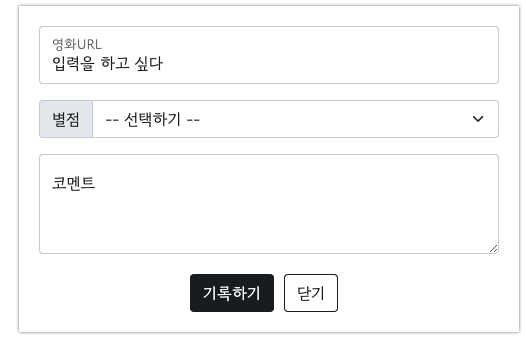
it means select the part having url as its ID(#url), and apply Jquery to that part($()) + input the value() into that part.
to import the value, let's type ABC in the URL box.
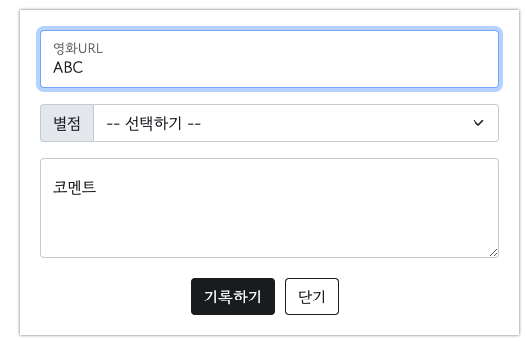
Now, let's run a code below.
$('#url').val()
Then it shows what's written in the box.
2. Make the box blink
- Make its name by adding
id.
<div class="mypost"> to <div class="mypost" id="'post-box">
- run the code below in Console box and the box is hidden.
$('#post-box').hide()

- to show the box, run the code below
$('#post-box').show()
3. Add another card next the the fourth one.
- Give the card section an id.
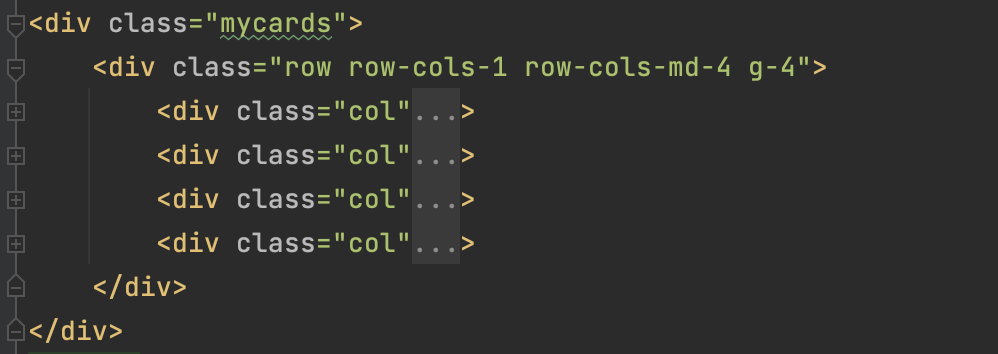
to
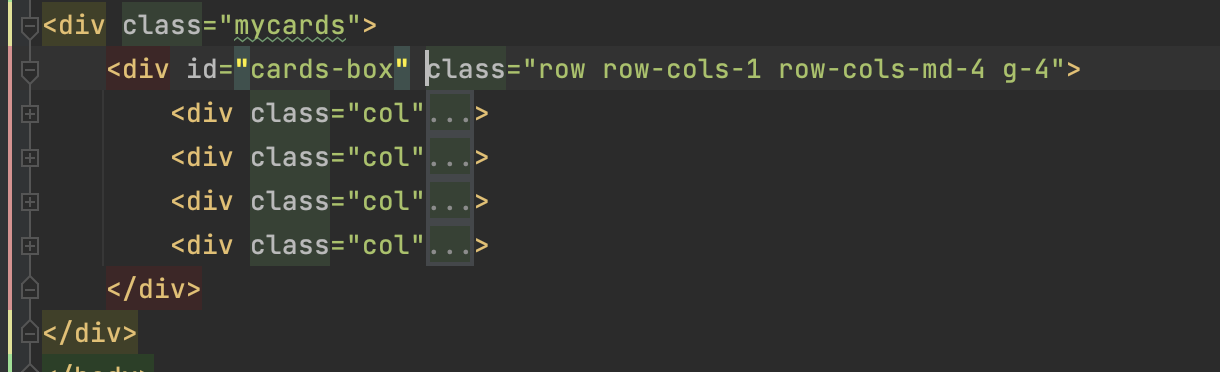
- run the code below in Console.
let temp_html =나는 버튼이다`
- to make the code above HTML, run the code below.
$('#cards-box').append(temp_html)
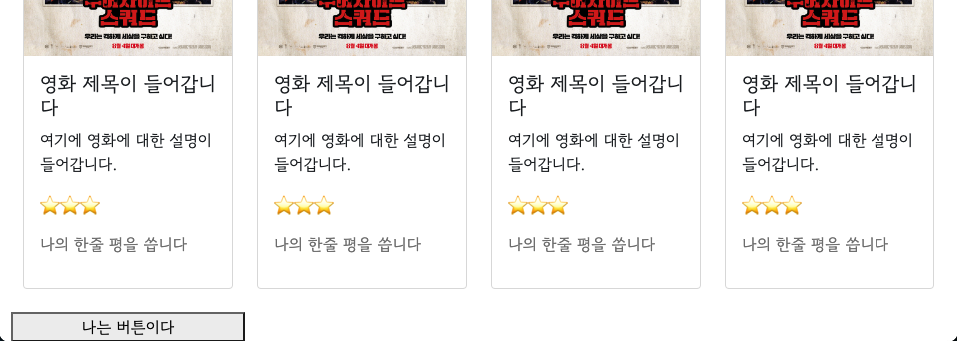
if you press upper arrow and enter, it adds the button.
it means, if you substitude the code for the button with the one for the card, it will add card next to the last card.
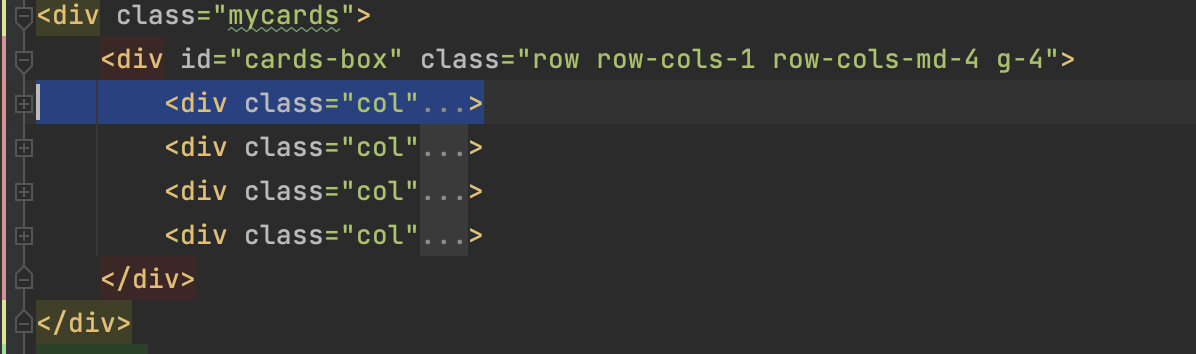
- refresh the page and do the same thing in Console box.
let temp_html = `<div class="col">
            <div class="card h-100">
                <img src="https://movie-phinf.pstatic.net/20210728_221/1627440327667GyoYj_JPEG/movie_image.jpg"
                     class="card-img-top" alt="...">
                <div class="card-body">
                    <h5 class="card-title">영화 제목이 들어갑니다</h5>
                    <p class="card-text">여기에 영화에 대한 설명이 들어갑니다.</p>
                    <p>⭐⭐⭐</p>
                    <p class="mycomment">나의 한줄 평을 씁니다</p>
                </div>
            </div>
        </div>`
- Make it HTML.
$('#cards-box').append(temp_html)