CSS- Separating style
When <style> code is too long, it's quite hard to see the whole code. Style code can be separated by using
- Make a new stylesheet
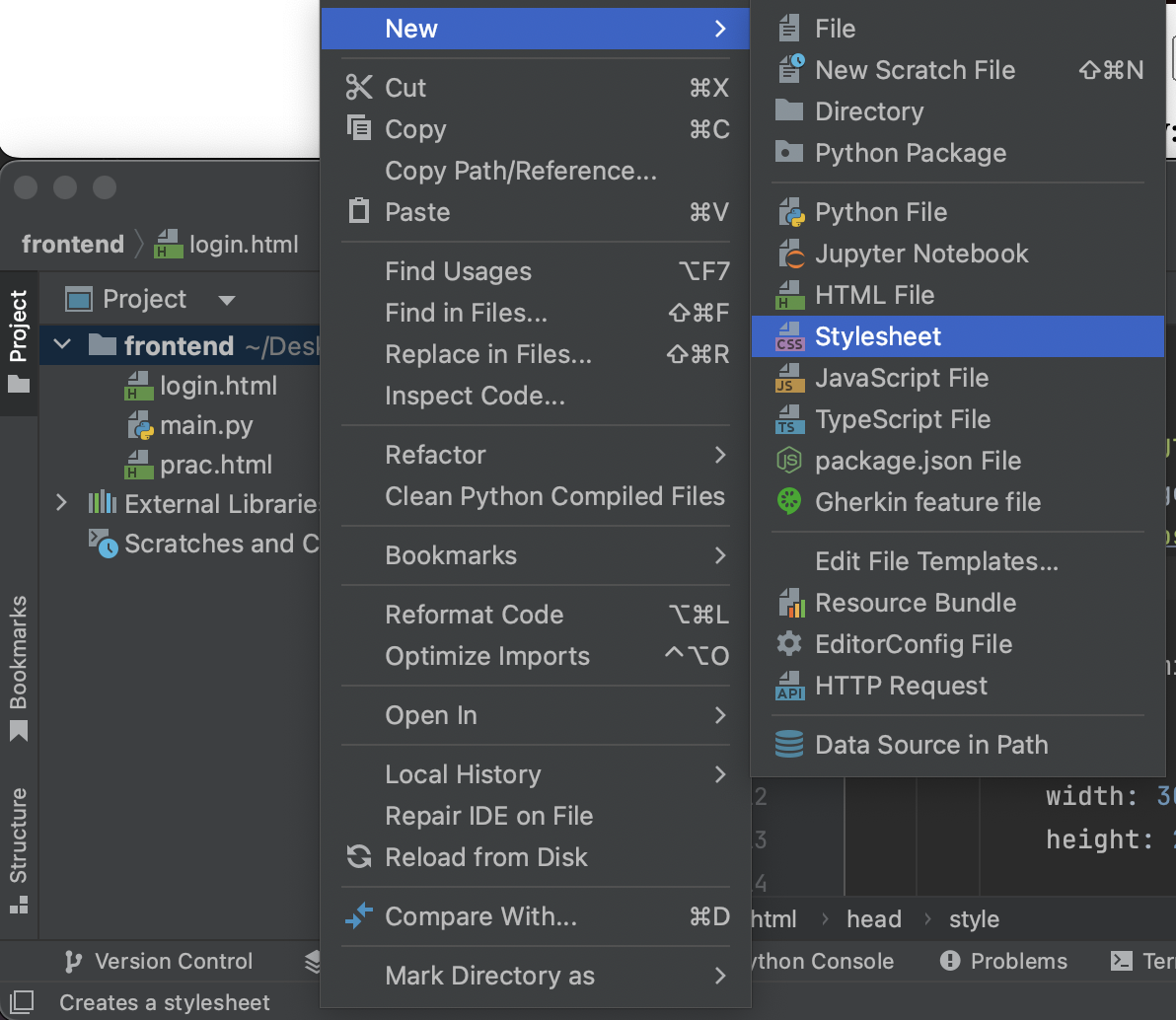
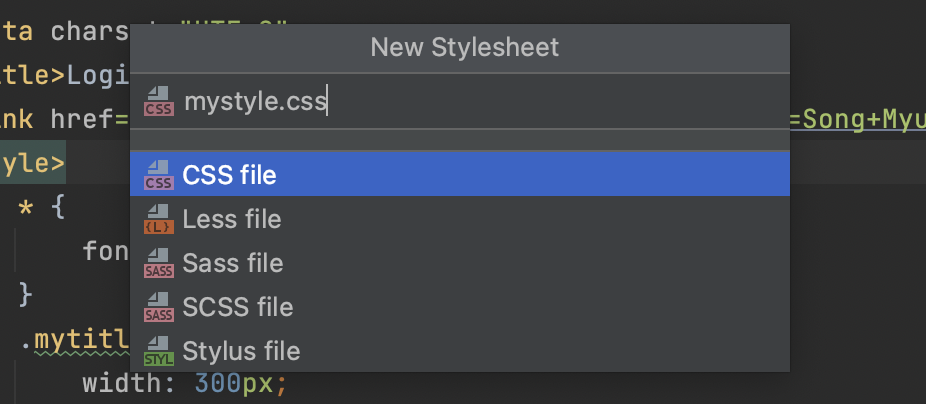
- Copy all tags under
<style>and paste it inmystyle.css. Delete<style>from the original code.
-Import stylesheet by using
<link rel="stylesheet" type="text/css" href = "mystyle.css">
<!-- create a style.css file in the same folder and, use it in head tag -->
<link rel="stylesheet" type="text/css" href = "(the name of CSS file).css">
<!DOCTYPE html>
<html lang="en">
<head>
    <meta charset="UTF-8">
    <title>Login Page</title>
    <link href="https://fonts.googleapis.com/css2?family=Song+Myung&display=swap" rel="stylesheet">
</head>
<body>
    <div class="wrap">
        <div class="mytitle">
            <h1>Login Page</h1>
            <h5>Enter your ID and password</h5>
        </div>
        <p>ID: <input type="text" /></p>
        <p>PW: <input type="text" /></p>
        <button> Login</button>
    </div>
</body>
</html>
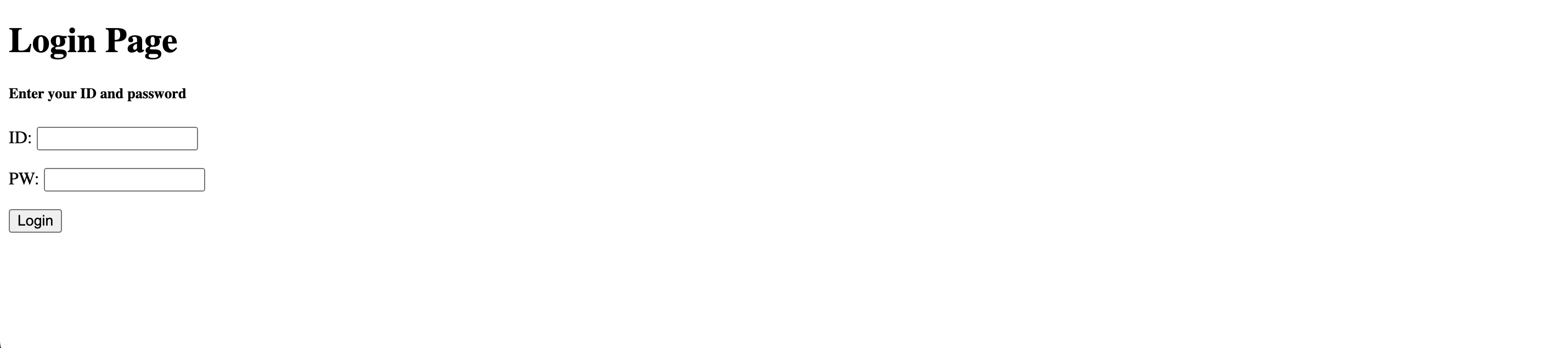
<!DOCTYPE html>
<html lang="en">
<head>
    <meta charset="UTF-8">
    <title>Login Page</title>
    <link href="https://fonts.googleapis.com/css2?family=Song+Myung&display=swap" rel="stylesheet">
    <link rel="stylesheet" type="text/css" href = "mystyle.css">
</head>
<body>
    <div class="wrap">
        <div class="mytitle">
            <h1>Login Page</h1>
            <h5>Enter your ID and password</h5>
        </div>
        <p>ID: <input type="text" /></p>
        <p>PW: <input type="text" /></p>
        <button> Login</button>
    </div>
</body>
</html>