CSS- Font
(Using the same HTML code from the previous activity)
<!DOCTYPE html>
<html lang="en">
<head>
    <meta charset="UTF-8">
    <title>Login Page</title>
    <style>
        .mytitle {
            width: 300px;
            height: 200px;

            color: white;

            text-align: center;

            background-image: url("https://www.ancient-origins.net/sites/default/files/field/image/Agesilaus-II-cover.jpg");
            background-size: cover;
            background-position: center;

            border-radius: 10px;

            padding-top: 40px;

        }
        .wrap {
            width: 300px;

            margin: auto;
        }
    </style>
</head>
<body>
    <div class="wrap">
        <div class="mytitle">
            <h1>Login Page</h1>
            <h5>Enter your ID and password</h5>
        </div>
        <p>ID: <input type="text" /></p>
        <p>PW: <input type="text" /></p>
        <button> Login</button>
    </div>
</body>
</html>
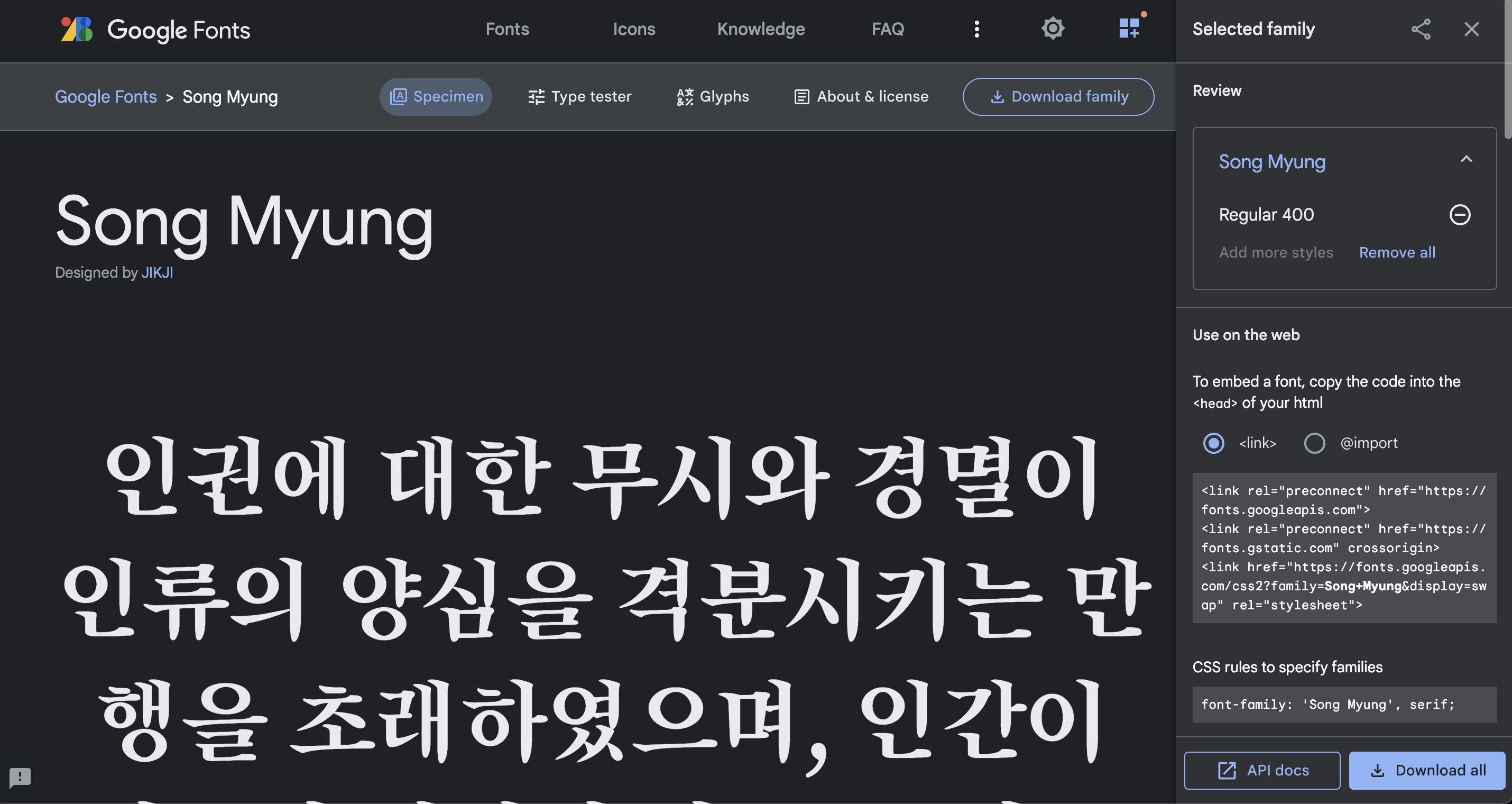
Google Web font: https://fonts.google.com/?subset=koreanSelect one font and click on the icon at top right.
Copy href tag from the link.
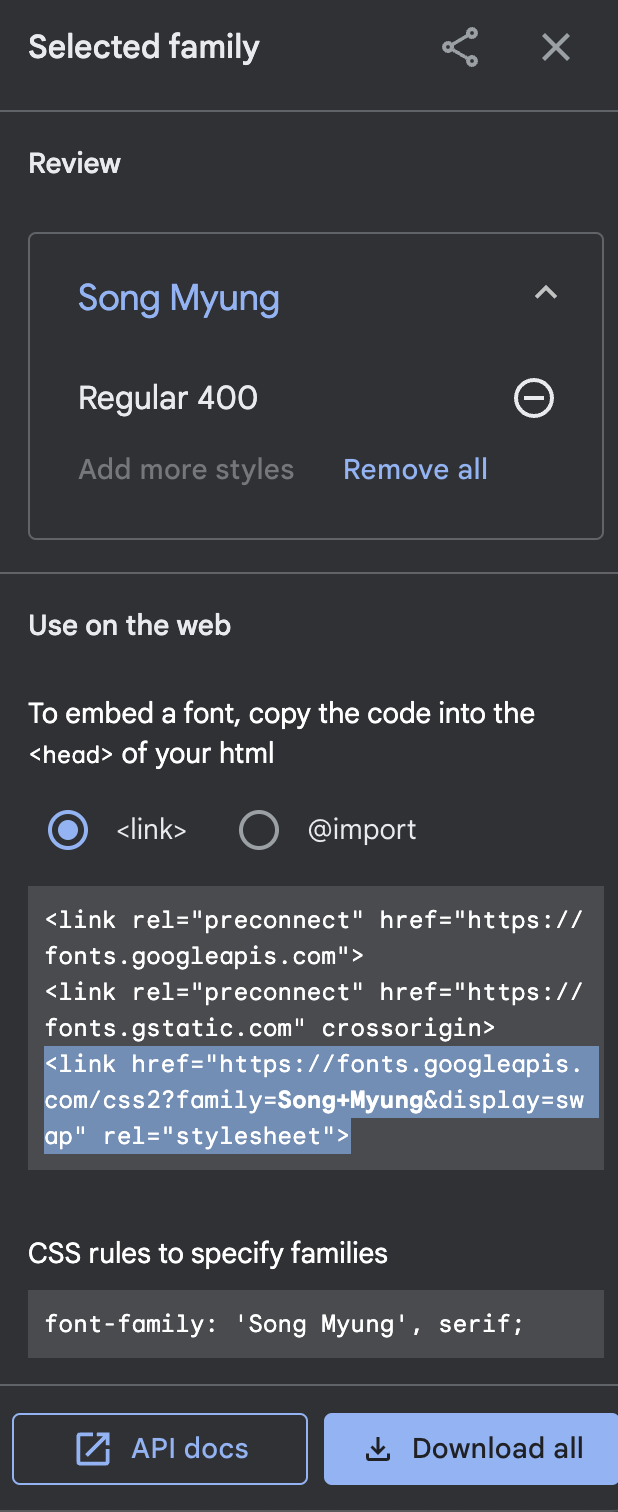
Paste it under
<title><!DOCTYPE html> <html lang="en"> <head> <meta charset="UTF-8"> <title>Login Page</title> <link href="https://fonts.googleapis.com/css2?family=Song+Myung&display=swap" rel="stylesheet"> <style> .mytitle { width: 300px; height: 200px; color: white; text-align: center; background-image: url("https://www.ancient-origins.net/sites/default/files/field/image/Agesilaus-II-cover.jpg"); background-size: cover; background-position: center; border-radius: 10px; padding-top: 40px; } .wrap { width: 300px; margin: auto; } </style> </head> <body> <div class="wrap"> <div class="mytitle"> <h1>Login Page</h1> <h5>Enter your ID and password</h5> </div> <p>ID: <input type="text" /></p> <p>PW: <input type="text" /></p> <button> Login</button> </div> </body> </html>Copy CSS rules
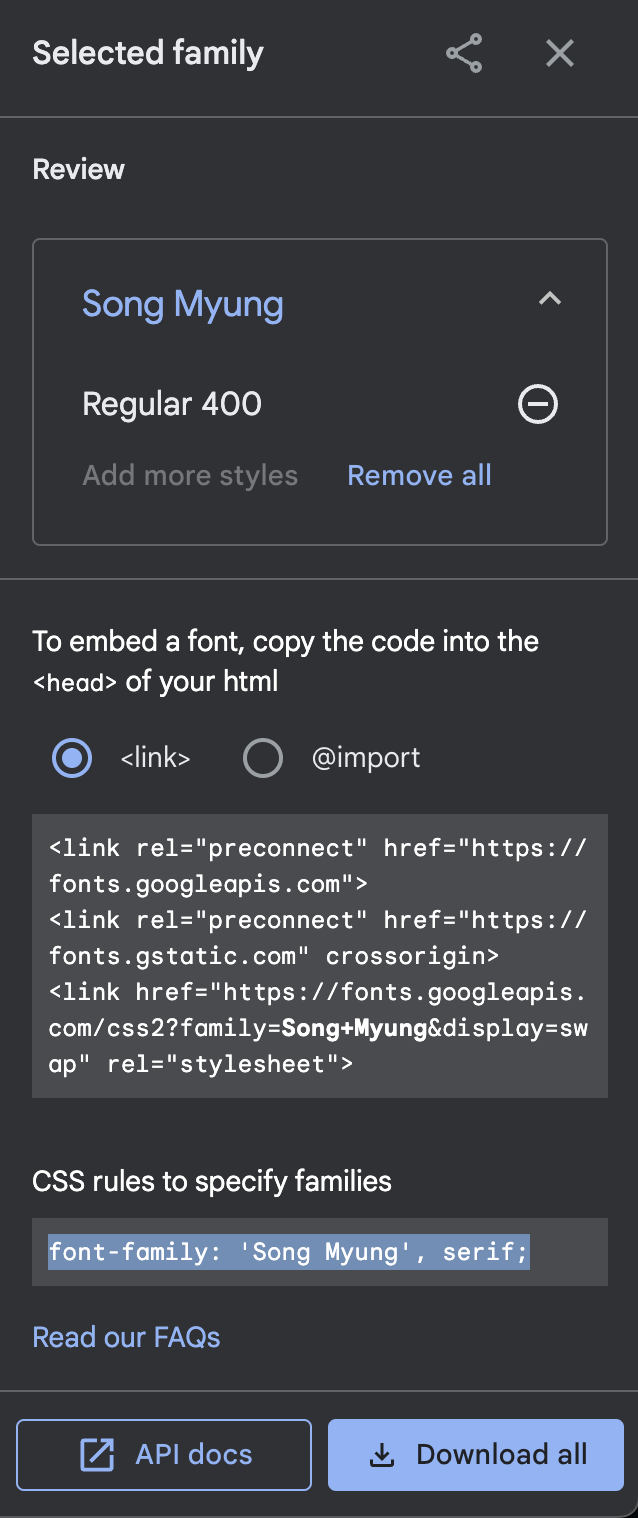
add
* {}under<style>and paste it in the brakets.<!DOCTYPE html> <html lang="en"> <head> <meta charset="UTF-8"> <title>Login Page</title> <link href="https://fonts.googleapis.com/css2?family=Song+Myung&display=swap" rel="stylesheet"> <style> * { font-family: 'Song Myung', serif; } .mytitle { width: 300px; height: 200px; color: white; text-align: center; background-image: url("https://www.ancient-origins.net/sites/default/files/field/image/Agesilaus-II-cover.jpg"); background-size: cover; background-position: center; border-radius: 10px; padding-top: 40px; } .wrap { width: 300px; margin: auto; } </style> </head> <body> <div class="wrap"> <div class="mytitle"> <h1>Login Page</h1> <h5>Enter your ID and password</h5> </div> <p>ID: <input type="text" /></p> <p>PW: <input type="text" /></p> <button> Login</button> </div> </body> </html>
* {}means anything in the brackets will apply to all tags.