Package
; A collection of functions made by someone. It can be installed and used on Python.
To install a package,
!pip install 'Package name'.
Once it's installed, run from 'Package name' import 'module' to use the package.
module is functions saved in a package.
BeautifulSoup
; often used to do crawling data from websites.
- install the package
!pip install beautifulSoup4from bs4 import BeautifulSoupa name used to import a package is not always the same as the one to install the package.
E.g. Web scrapping Code
# HTML 문서를 문자열 html로 저장
html = '''
<html>
    <head>
    </head>
    <body>
        <h1> 장바구니
            <p id='clothes' class='name' title='라운드티'> 라운드티
                <span class = 'number'> 25 </span>
                <span class = 'price'> 29000 </span>
                <span class = 'menu'> 의류</span>
                <a href = 'http://www.naver.com'> 바로가기 </a>
            </p>
            <p id='watch' class='name' title='시계'> 시계
                <span class = 'number'> 28 </span>
                <span class = 'price'> 32000 </span>
                <span class = 'menu'> 액세서리 </span>
                <a href = 'http://www.facebook.com'> 바로가기 </a>
            </p>
        </h1>
    </body>
</html>
'''

# BeautifulSoup 인스턴스 생성. 두번째 매개변수는 분석할 분석기(parser)의 종류.
soup = BeautifulSoup(html, 'html.parser')
soup = BeautifulSoup('name of a document', 'type of parser')
How to use select()?
soup.select('data you are looking for')
- soup.select('name of tag')
- soup.select('.name of class')
- soup.select('#ID')
- soup.select('name of upper tag' 'name of lower tag')
- soup.select('name of upper tag > name of lower tag')
Practice
- To return body tag.
# To return body tag.
print(soup.select('body'))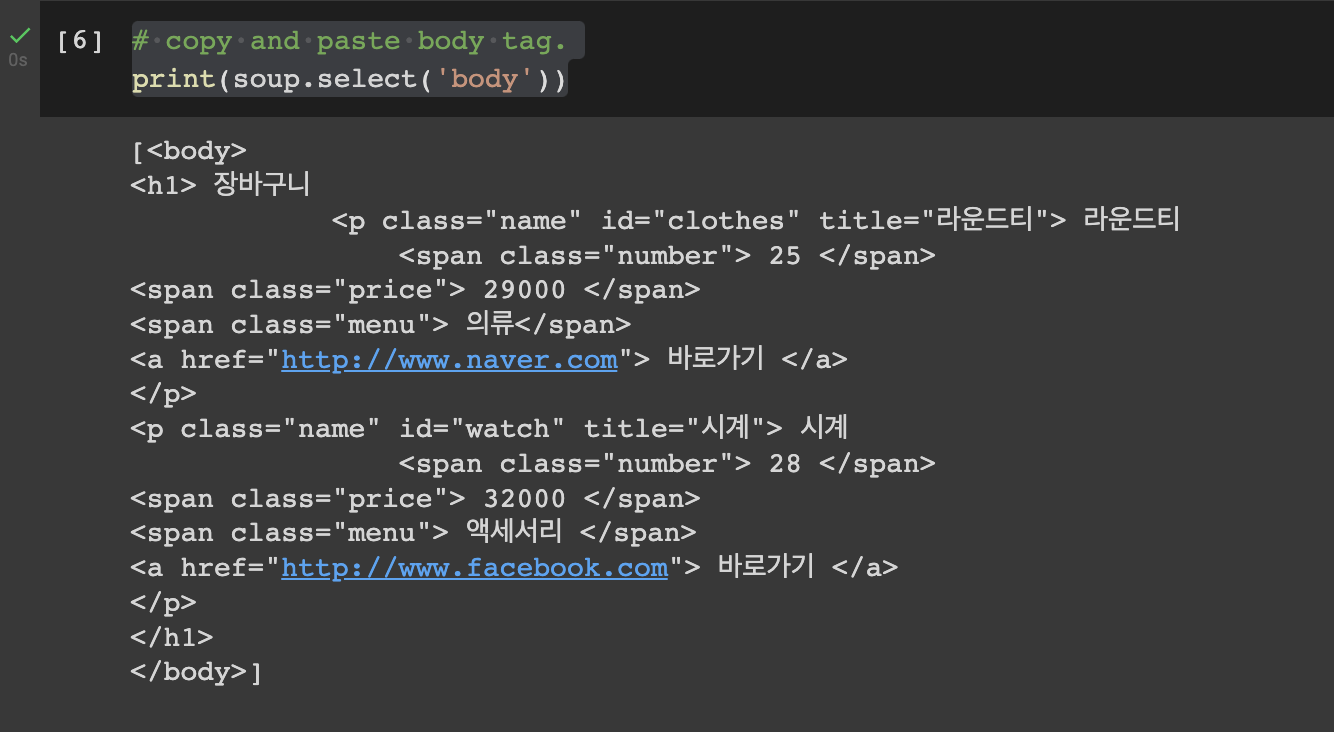
- To return a tag.
# To return a tag.
print(soup.select('a'))
- To return price.
# To return price.
print(soup.select('.price'))
- To return 시계 under p tag.
# To return 시계 under p tag.
print(soup.select('#watch'))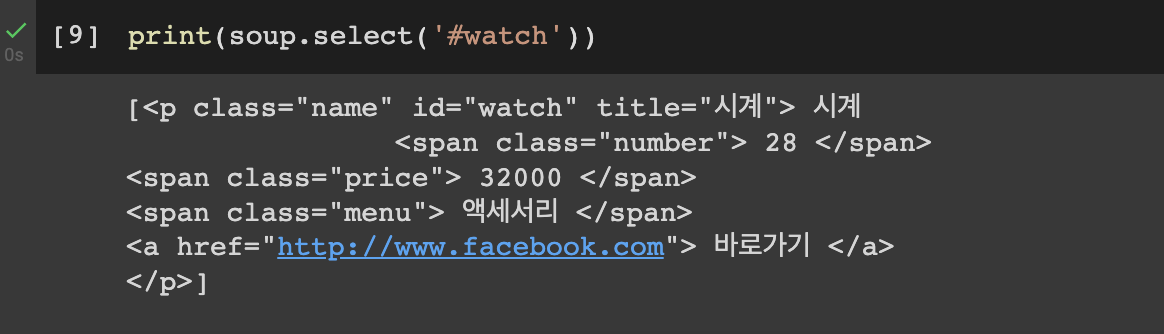
- To return price under clothes ID.
# To return price under clothes ID.
print(soup.select('#clothes .price'))
soup.'name of tag'
; used to show the first tag used in HTML until that specific tag ends.
soup.a

`soup.'name of tag'.get('type') ; used to show the value of the type.
soup.a.get('href')

Comments
Join the discussionNo comments yet. Be the first to comment.