Basic of Flask
When you create Flask server, make sure to have three items in the project folder.
Staticfolder ; Usually, image or CSS files will be storedTemplatesfolder ; HTML files will be storedApp.pyfile
- Create directory folders named 'templates' and 'static' respectively.
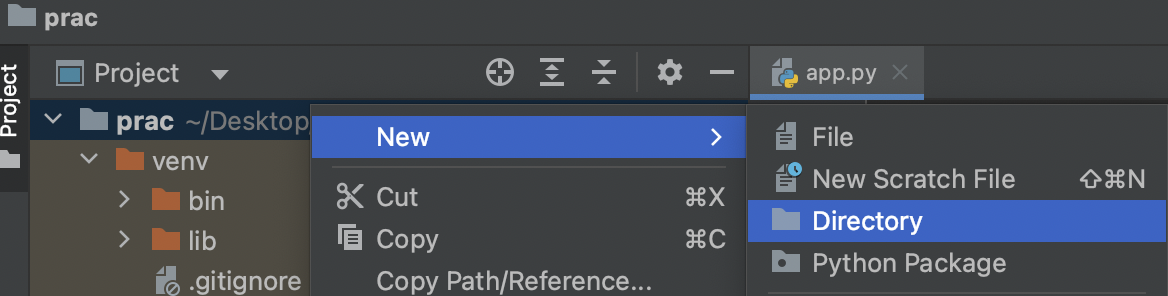
Start with the code below.
from flask import Flask
app = Flask(__name__)

@app.route('/')
def home():
   return 'This is Home!'

if __name__ == '__main__':
   app.run('0.0.0.0',port=5000,debug=True)
- Update the code like below and open
http://localhost:5000/
from flask import Flask
app = Flask(__name__)

@app.route('/')
def home():
   return '<button>나는 버튼이다</button>'

if __name__ == '__main__':
   app.run('0.0.0.0',port=5000,debug=True)
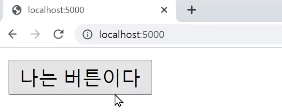
Create a HTML file named
index.htmlundertemplatesfolder.write a code like below in
index.htmlfile.
<!DOCTYPE html>
<html lang="en">
<head>
    <meta charset="UTF-8">
    <title>Title</title>
</head>
<body>
  <h1>나의 첫 웹페이지!</h1>
  <button>버튼을 만들자</button>
</body>
</html>
- write a code in
app.pyfile
from flask import Flask, render_template
app = Flask(__name__)

@app.route('/')
def home():
   return render_template('index.html')

if __name__ == '__main__':
   app.run('0.0.0.0',port=5000,debug=True)
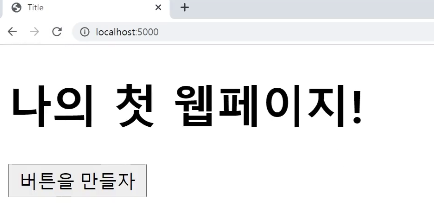
it reads and show the HTML file we made. So if you have HTML file and it can be uploaded online in this way!